In this episode, Bob and Cami discuss how AI is reshaping web design, offering tips on using AI tools effectively, educating clients, and adapting workflows for better efficiency in the digital space.
Author: Gerardo Medina
-
WPTavern: #225 – Milan Petrović on the Risks of Legacy PHP in WordPress and Why Upgrading Matters for Security
Transcript[00:00:19] Nathan Wrigley: Welcome to the Jukebox Podcast from WP Tavern. My name is Nathan Wrigley.
Jukebox is a podcast which is dedicated to all things WordPress. The people, the events, the plugins, the blocks, the themes, and in this case, the risks of legacy PHP in WordPress and why upgrading matters for security.
If you’d like to subscribe to the podcast, you can do that by searching for WP Tavern in your podcast player of choice, or by going to wptavern.com/feed/podcast, and you can copy that URL into most podcast players. If you have a topic that you’d like us to feature on the podcast, I’m keen to hear from you and hopefully get you or your idea featured on the show. Head to wptavern.com/contact/jukebox and use the form there.
So on the podcast today we have Milan Petrović. Milan has been deeply immersed in the WordPress ecosystem since 2007, developing an array of plugins, especially for expanding bbPress forums, and running his own company, creating plugins before joining the Freemius team as a full stack developer. With nearly two decades of hand-on experience, Milan has witnessed firsthand the evolution of both the WordPress and PHP landscapes.
Many WordPress users may be only partially aware of PHP. Perhaps they’ve noticed version numbers in their hosting panel, but few of the millions of WordPress users understand the real impact that PHP versions have on the security and performance of their websites. Milan is here to shine a light on why embracing newer versions like PHP eight isn’t just good practise, but a crucial step for security and efficiency.
Milan begins by recounting his journey through WordPress development. The conversation gets into the heart of his recent WordCamp Europe presentation, which tackles how legacy PHP code exposes sites to thousands of open bugs and vulnerabilities. And why relying on old versions is, as he describes, an active invitation for automated exploitation.
The discussion explores the contrast between running legacy code, and using the native shields of modern PHP, and highlights how PHP 8 not only closes security holes, but also delivers major performance boosts, reducing memory usage, and accelerating speed.
If you’re wondering why you should care about the PHP version your site is running on, or you’re a developer interested in practical ways to harden your code, Milan unpacks both the existential risks of outdated PHP, and the step-by-step benefits for hosts, agencies, and plug-in developers alike.
He introduces his Vulnerability Lab plugin, designed for developers to see firsthand how code exploits play out differently across PHP versions, and makes the case that modernising can happen gradually, one update, one plugin at a time.
If you’ve ever questioned how your hosting choice, or plugin stack, could affect your site’s future. Or you’re ready to take the first steps towards building more secure and future proof WordPress products, this episode is for you.
If you’re interested in finding out more, you can find all of the links in the show notes by heading to wptavern.com/podcast, where you’ll find all the other episodes as well.
And so without further delay, I bring you Milan Petrović.
I am joined on the podcast by Milan Petrović. Hello Milan.
[00:03:58] Milan Petrović: Hello Nathan. Thank you for having me here.
[00:04:00] Nathan Wrigley: You are very welcome. We’re in a beautiful, beautiful media room at WordCamp Europe. And I know that you have already done your presentation because we just had a little chat about the fact that you’ve done it and it went well and all of that.
Do you want to tell us a little bit about you and your background working with code and developing and security and all of that kind of stuff? And then we’ll talk about your actual presentation and how it went.
[00:04:25] Milan Petrović: So I started with WordPress almost 20 years ago, so way back in 2007. And I created a lot of plugins for WordPress, and I especially have a lot of plugins for bbPress for expanding forums. Yeah, people still use forums these days. So that was, I really like bbPress and all the stuff I did with that.
I have been working as a freelancer for a lot of years. I have my own company that was doing plugins, it’s called Dev4Press. But in 2024, I joined the amazing team at Freemius. So for almost two years I am a full stack developer at Freemius. And that was a really nice change of pace for me and the work I usually do before that. So yeah, that’s a short of it.
[00:05:13] Nathan Wrigley: Yeah. That’s great. Thank you. And so the presentation that you did that is now over, goes like this. I’m going to read the entire blurb because it’s short enough to read, and it says, secure by design, hardening plugins with PHP 8.x. In the WordPress ecosystem, we’re often forced to choose between supporting the lowest common denominator of hosting and implementing modern security. But in 2026, writing legacy PHP 7 code isn’t just a bad habit, it’s an active invitation for automated exploitation. It’s time to stop playing whack-a-mole with sanitisation, and start building products that are secure by design. This talk isn’t just another slide deck on security tips. Through comparisons of a Vulnerability Lab plugin, you will see how common exploits like authentication bypass, and server side request forgery succeed on legacy code, only to be neutralised by the native shields of the latest PHP. You learn how to leverage the modern PHP patterns to ensure your plugins are resilient to a wide range of exploits.
Now into the show notes I will put Milan’s wordpress.tv presentation so that you can go and watch the entirety of it. I guess basically if at any point you get confused, that would be a good idea, pause this podcast and go and check that out. But, how did it go? How well received was it?
[00:06:33] Milan Petrović: For me personally, I’m very satisfied with how how it went. I don’t know, it’s a bit overwhelming to be honest, but I am very satisfied and I got a lot of questions after the talk. I met a lot of people that liked what I had to say. And I think it’s good feedback to have, for something that is more technical like this was.
[00:06:52] Nathan Wrigley: Well touching on the fact that it’s more technical, I have to confess that I think you are going to have to shepherd me through this, because a lot of the content that you I think probably got stuck into is beyond my pay grade. But hopefully we’ll get through it.
Now at WordCamp Europe, where we are now, I don’t know what the ratio is, but I’m guessing that a significant proportion of the people out there are not developers. They kind of know that PHP is a thing. They realise that WordPress is built on that, but they don’t really have an understanding.
They’ve probably heard of PHP 7. They’ve probably heard of PHP 8, because somewhere in a control panel that was shown to them. But maybe there’s not much of an understanding of the fact that it gets better over time. It gets secure over time. I think there’s probably a notion of, well, my website works. Why do I need to change anything?
So let’s get into that. What were you talking about in your presentation? What’s changed in the landscape of PHP more recently that you brought to the fore that you shared with your audience?
[00:07:51] Milan Petrović: Yeah, I think that PHP 8 was a big milestone for a lot of things. And I’m not sure, but I don’t think that the wider communities are kind of aware about the impact of the PHP, or the server environment in general, on how the websites work and how secure they are. Maybe the WordPress in itself needs to spread more awareness about that.
Because right now we get a notice in the dashboard that maybe the PHP needs to be updated. But for a lot of website users, that can be too much and too little information at the same time, because they may be not aware of how to do things on their hosting site.
We need to spread more awareness about how important the changes in the code are when it comes to the newer PHP versions, and what they can do to improve the security. And how developers should be starting to use more of those new features and the new things that PHP provides on a language level nowadays.
[00:08:49] Nathan Wrigley: WordPress has got this real legacy, I suppose is the right word, of supporting legacy code. So WordPress itself is supported way, way, way back. You can keep using versions of WordPress, which are many, many, many years old. And I wonder what your stance is in terms of PHP, whether or not WordPress runs versions of PHP which are far too old, in your opinion.
So in other words, should WordPress have a policy of, I don’t know, 8.x only? Or is 7 okay. And I don’t know what other CMS platforms, you know, Drupal, Joomla as was. I don’t know what they do, I don’t know what their posture is.
[00:09:32] Milan Petrović: I think that one of the most important decisions that, it was done with WordPress early on, is that backwards compatibility, because it opened the doors for a wider adoption. Because you don’t need to change server every year, or you don’t need to upgrade your software that often. And that helped a lot of hosting companies to provide WordPress hosting very cheaply, because they didn’t have to have the latest PHP, they didn’t have to invest much more money into all that. So WordPress got a lot of adoption from backwards compatibility policies.
But in the same time, that also proved a bit of a problem. Because even the WordPress Core code is kind of stuck because of that policy of backwards compatibility. And it’s not only compatibility with old versions of WordPress, but the old versions of PHP. And we are running now maybe six years behind end of life PHP versions. Because PHP 7.4 end of life was four and a half years ago. And we still support it in the Core.
[00:10:33] Nathan Wrigley: Yeah, I guess it’s a nice thing to support it. And it, as you described, it was a great way of onboarding the millions of people that came along. But things have moved on.
What would be some of the top level items? And I’m inviting you to open the scary book and sort of give out the worst case scenarios basically of running legacy code. So really, go to town, frighten us all. What are some of the horrors that await if you’re quite willing to, as a hosting company, support seven point whatever or beyond, six or five, or dare I say it, four, who knows? What are some of the terrible things that await us?
[00:11:08] Milan Petrović: To be honest, when I was researching some of the statistics and things like that, I was kind of scared when I saw that there are 3 or 4,000 open bug reports for PHP 7 and PHP 5, which are still in use today, and there are WordPress websites running on both of them in the millions. And there are 3 or 4,000 open and confirmed bags that are never going to be fixed. Never. So PHP 7 has thousands of bugs, and I’m sure that not everything security related, but a big chunk of those bags are related to security.
And there are open exploits that run on the PHP level. They don’t care really about if you are using WordPress or using something else. It’s more like a exploit on the level of a, on a server side that can be quite scary because you, even the technical people are not really sure what are all those bugs. Who is going to go through 3,000 or 4,000 bug reports?
[00:12:05] Nathan Wrigley: Yeah, so just to sort of describe that, the fact that there is no more updates to the 7 branch of PHP means that all of those bugs which are publicly available, anybody can go and read great detail about what they are. Well that then means that any hacker can do that, and probably did like a dozen years ago. And so really you are painting a picture there of you are asking for trouble.
[00:12:30] Milan Petrović: There are hosting companies that maybe do things a bit differently because you don’t need to run PHP as it was created. You can build your own version of PHP. You can patch bugs on your own. And a lot of hosting companies are doing that. But in the same time, that also poses a problem. You are going to run WordPress in your own plugins on a platform that is not actually officially PHP supported. It can have some different quirks that make your code run a bit differently.
A while ago we had the Facebook running their own PHP build, that was quite different from the public PHP. But they used it, and other people started using it. So I don’t know. Still I think that the official PHP is the one you should be on because you never know what other issues. Even when hosting company patches the PHP they’re using, maybe they’re opening doors to something else that is not quite documented on that level.
I think that the best policies, I don’t expect for WordPress to adopt the latest PHP or only supported PHP versions, but to kind of move quicker on the adoption of the newest version. So maybe we should be quicker to adopt PHP 8.0 or 8.1 is a next minimal required version for WordPress.
[00:13:50] Nathan Wrigley: When you say you don’t expect WordPress to do it, is that simply because it doesn’t have a history of doing it? Is there a technical reason why WordPress could not keep up with the latest version? I know we’ve got this plugin architecture where there’s thousands and thousands of developers who are all doing their own thing, and there’s all of that. Is there any technical reason why WordPress couldn’t be on the cutting edge, most up-to-date, latest version?
[00:14:15] Milan Petrović: There are two factors in all that. First one is you can declare, PHP 8 is the minimal version we support. We don’t support PHP 7.4 anymore. And that means that you don’t need to make any changes in WordPress at that point. You can declare it because WordPress is compatible with all PHP versions. It works on 8.0 and 8.5. That’s no problem. But say that branch 7 is no longer supported, you’re kind of pushing other developers and hosting companies to improve their support for newer versions.
And you don’t need to make immediate changes to WordPress. But at that point, you are open to modernise the code because now you can have more stricter typing across the board. There are some strict typing things in older PHP versions, but with 8.0, you can do all of that. And it doesn’t have to be a process that is done immediately. It can be done gradually. You can update parts of the WordPress Core over time. And it’ll take a few years, to get up to date, but at least you are closing doors to some older versions of PHP, and you are pushing developers as well for plugins to have that policy.
Right now, each developer can have their own plugins supporting any version of PHP you want. For my plugins, I have policy of 8.0 as a minimal version since this year. And, I’m updating the code as I go along. I don’t do it, it’s impossible to do it all at once. And for WordPress, it’s going to be even worse to make it all up to date. But declaring PHP 8 is a minimal required version, would be a great step in the right direction for wider adoption.
[00:15:51] Nathan Wrigley: Yeah, I think the problem is simply one of the user base, isn’t it? There’s just millions of people, thousands of developers all doing their own thing. And casting 8.x, 8.0 and above as the new minimum, there’s going to be a moment where some things do go wrong.
So that calendar plugin that you’ve been using for ages, which just works. And sure, you’ve never really received any updates from the developer, but it just works. Everybody’s booking on my calendar and we are all good. And then suddenly PHP 8 is required and it turns out the calendar plugin now no longer works.
You can imagine those kind of stories a million times over coming to the fore. But equally, we got to move on. There’s no way of, you know, because we can’t in 10 years still have sites on 7.4.
[00:16:43] Milan Petrović: We have sites on five point something. I recently checked the official WordPress tracking. 7.4 is on 20% even now. So we are far away from WordPress ditching the 7 branch. And I think there are still few percent of PHP 5 in all that so.
[00:17:01] Nathan Wrigley: Yes, I regularly look at the, it’s like a little donut chart, isn’t it? That is often produced and you gradually see the eight point x whatever section of the pie getting bigger as they produce the next survey. But you’re right, it’s still a significant chunk that’s on 7 and below.
And whilst when I look at that chart, it doesn’t really bring any alarm bells to the fore, I just think, oh, that’s a shame. But now that you are presenting this talk, and giving me this information, I realise that that attack surface is worse.
When you gave that talk, who is your target audience? Were you directly sort of aiming at the hosting companies who presumably can do a lot of work very quickly? You know, they could take a million people onto 8 with a little bit of development work and on the back end of their platform. Or are you really encouraging the general WordPress user, like me, to take a bit more interest and make sure that I am going into the cPanel or whatever it is and updating myself? Or is it a bit of both?
[00:17:59] Milan Petrović: For everyone actually. It’s for developers to be more aware of what they can gain with the new PHP versions. It’s for hosting companies. Because it’s not only about security when it comes to the newer PHP. The PHP is faster and faster. So each new version gets you 5 or 10% more performance without doing anything. So PHP 8.5 is more than 50% faster than PHP 7.4. So that’s a significant update.
And I have even, one slide was showing how much less memory PHP 8.5 used to run exactly the same piece of code. So it’s pretty wild to see that hosting companies are maybe the biggest factor in all this. They will gain a lot more because they’re going to free a lot of resources to run more websites because PHP is going to use less memory and it’s going to be faster.
So I understand they need to invest a lot of money to do all that. But, I don’t know, I think that gains from that are very significant, on that level alone.
[00:18:57] Nathan Wrigley: Yeah, so you described there are really compelling scenario. You know, it’s quicker, it uses less memory, you’ll save money. I mean what else do you need? You’ve just presented the entire argument.
However, it hasn’t happened. So technically speaking, why do you think it hasn’t happened? Is there an acquisition of new knowledge that is difficult to take in? Is it that simply you would have to, I don’t know, retrain your staff? How do you understand that it hasn’t happened? What are the reasons people are digging their heels in and not making these updates?
[00:19:25] Milan Petrović: I kind of make the group of two or three types of hosting companies. One, and that’s usually more expensive managed hosting solutions. They are forcing the updates. They’re not maybe on the latest version, but they are forcing their users to use at least three or four versions of PHP back. So maybe 8.2 or 8.3, which is a great step in the right direction.
There is also a problem of support. If something starts breaking, they’re going to be the first one to be asked about that, because they made the change to the server. So why now website that was working yesterday is no longer working today because of some change made on a hosting level. So there are a lot of factors to play into that adoption.
But on the other hand, there are a lot of developers that have moved on with supporting PHP 8. A lot of plugins are very much updated and, especially popular plugins. They invested a lot of time to do the update. It’s getting easier to support it. But on the other hand, you have very old websites that are simply cannot move without proper testing, without updating the plugins. And there are cases when you cannot simply update one plugin because something else may break, or you made some changes that will make some other thing break. So it’s a big puzzle that is definitely not easy to solve, but maybe we should start some work on that as a community to do it, and to move people along.
I don’t want to say force the change, but make people aware of the benefits. Make people aware of the risks if they continue to run the old and outdated software. And the same goes for not updating plugins, not updating WordPress. No matter how much work is done in that regard, there are still most likely some exploits on a WordPress level for very old versions that at some point someone is going to find out about and exploit.
[00:21:16] Nathan Wrigley: I mean I guess the motto of WordPress was democratised publishing, which means basically make it available to everybody. No matter your level of expertise, make it available to everybody. And I’m sure that if you were to grab the CEO of any hosting company and say, I can save you money, I can save you resources, and all of those things that you outlined earlier, they would, yeah, we know, we know. But we’ve got thousands of non-technical people using WordPress.
I kind of have this analogy in my head, and it goes a bit like this. Several years ago, I bought a bike. And it sits in my garage and there is my bike. And I expect my bike to work tomorrow in the same way that it did four years ago. And in 10 years, I expect my bike to work. I don’t expect there to be an update to wheels or gears or the saddle. It doesn’t need an update. It’s just a bike. And I need my bike to be a bike and nothing more.
And I get the impression that many people treat their WordPress website as the same thing. This sort of static commodity that, sure enough, they pay a monthly fee for it, but it’s this website. It’s a thing, and it doesn’t need changing. And so what I’m trying to say is, I’m fairly sure that the hosting companies are met with that an awful lot. The customers who just, it’s a bike, it’s a website. Do you know what I mean?
[00:22:37] Milan Petrović: Yeah, but you need to maintain your bike. If you don’t do it, it’s going to, your belt is going to rust, your wheels are going to be deflated or whatever. A lot of things can happen with it if you don’t maintain it. So, we don’t need to upgrade everything all at once, but we can start from someplace. We can do it gradually. But still, WordPress needs to be the platform that leads the charging that, because it’s going to force other developers to do it. It’s going to force hosting companies to start doing it. And it’s not a big jump on moving just that one version, but it’s going to help to move things along faster. Let’s see how it goes in the next few years. But I really don’t expect for WordPress to drop 7.4 for at least a year or two, maybe even more.
[00:23:24] Nathan Wrigley: I loved your rebuttal of my bike analogy there. That was perfect. That’s exactly right. The bike will rust, the wheels will be deflated and all of that, yeah. So we need to drag the WordPress users along.
Now, in your presentation, you mentioned something that I have never used, the Vulnerability Lab plugin, which you used to demonstrate the attack. Can you just tell us a little bit about that? Because I’d be curious to follow that up, and maybe some people listening to this would too.
[00:23:47] Milan Petrović: I started it for, created for this talk specifically to add few examples and to run the code that is going to show those things if you run the plugin on the old version and the new version of PHP. And I do plan to expand on it because there are a lot more PHP security elements that can be demonstrated in that way.
So it can show you, you have like a, in many cases the same code, but if you run it on one platform, you’re going to get one result. And if you run it on the newer one, you will get something different. So it’s useful to show, and some of those changes are quite small, those attributes that you can add to the code are very, very small, but they can really help you to improve security of your plugin.
And there are more complex security measures that can be implemented, but the format of the talk wasn’t really suitable to mention everything. But this was like something to get you started on the path of discovering what else PHP 8 can offer, when it comes to improving the security of the plugins and what possible exploits and vulnerabilities are there.
I try to use some obvious things that are very easy to spot. And I’m sure I did made some of those errors myself in the past. So some of those examples are something that I dealt with when I was upgrading my code. So I’m sure that a lot of people can see similar problems in their own code, and similar kind of solutions that can help them to overcome those and to make them much more resilient in the future.
[00:25:17] Nathan Wrigley: So is your plugin designed primarily, would you say for developers in mind, or is it something that just a typical end user may get some mileage out of?
[00:25:26] Milan Petrović: No, it’s more for developers that they can see, they can run that code and see how it behaves on the old version and the new version to demonstrate some of those things. And I will definitely expand it to include more examples in the future. Even for myself to like a document, what can happen if you run something in the old version, and the new version?
I had some suggestions coming to me like, maybe like a pattern library that is going to show what is the pattern that we use with old PHP and how to improve it with a new one, and document which version of PHP is going to support it, and how it’s going to improve the code.
[00:26:01] Nathan Wrigley: So is the idea then that you would instal it on various different, let’s say that you’ve got a live site and you’ve got, I don’t know, a development site and another development site, is that you would put it on each of those, different PHP versions, and just sort of compare and contrast what.
[00:26:16] Milan Petrović: Yeah, that can be used.
[00:26:17] Nathan Wrigley: Yeah, in that way. And what’s the reporting that you get? Is it kind of error logs, you know, that only a developer would be able to understand, or is it in plain language that somebody like me could understand?
[00:26:26] Milan Petrović: Right now it’s a bit technical because if you run a certain part of the code, some of those elements do have a visual component in the admin section. You will see, one of the examples, if it’s run on PHP 7.4, it’s going to result in a fatal error for sure, depending on the server settings. And if you run it on the new version, you will get a full code running and executing as expected.
So it’s a bit of a development thing that developers can use themselves to show maybe to potential clients or to website owners what is going to happen if they continue to run the outdated versions of the PHP. So it’s not just, yeah, the PHP 7.4 is bad, but here it is, why it is bad actually.
[00:27:12] Nathan Wrigley: Okay, that’s a really interesting use case, isn’t it? So if I’m an agency owner and I’ve got, I don’t know, a client over here who is absolutely wedded to this plugin, this calendar plugin say, and we know that the development of that plugin has ended years ago, then trying to persuade that client to find something new, or have something new built is difficult.
But with the capabilities of the plugin that you’ve created, you’ll be able to show in a sort of readable human way, okay, right. That’s all very well, but we’ve got to get onto PHP 8.0. And when we do that, this is going to happen.
So that’s actually quite a useful tool for agencies to be able to dangle things in front of the noses of their clients. Potentially, I don’t know, get some new work out of it as well, because there’s this extra work that needs to be done to bring it up to the modern standards.
[00:28:01] Milan Petrović: Yes. And one example especially demonstrates not only security, it demonstrates the performance. It shows you how much memory that piece of code is using on old version. Almost half the memory is going to be used less with a new version. So that’s very on the nose demonstration on security, and the performance in the same time. So things like that can help. And I will definitely try to invest more time in showing more examples and anyone can contribute.
It’s a plugin available on GitHub, so any contributions in that regard are welcome. And we can maybe all work to create like a list of patterns that are something that a lot of people can use, and show different people how the PHP can help them move along.
And again, I don’t want to sound like we don’t need whatever WordPress is doing. We still need to use all the security enhancements that WordPress has built in the Core. Escaping, sanitisation. All that is still very important because you cannot solve everything by upgrading PHP and upgrading your code to use some of the PHP features. There are still a lot of security elements in WordPress itself that are very important and should not be replaced, or removed, from the code. There are patterns that are crucial to ensuring the security is on a top level. So combination of what WordPress already has, plus everything we get with the newer PHP is something that we should strive in the future, and to make things better.
And it’s not that complicated to start with the process. You can start upgrading small things. You can start with stricter typing. You can start with very small changes, and then gradually you can add those new attributes. You can replace some of the functions that you may be used with old version of PHP, but there is something better in the new version. So that’s something that everyone can do. Do a bit at a time so not everything at once. Spend time and make some gradual upgrades, and that’s going to help moving along.
[00:29:57] Nathan Wrigley: You are obviously here to talk about where PHP meets WordPress, but presumably you, yourself are gaining intel from the PHP community. Is there a resource, like a central PHP resource that you would direct people to, or would you rather steer them towards kind of WordPress resources? The things that people are doing in the WordPress space and the hosting space. There’s not really a question there, but it’s more where do you find your information? Where’s the most reliable place?
[00:30:25] Milan Petrović: You need to check everything. PHP website is a really good resource to find the information about what’s coming in the next version of PHP, because the preparations take up to a year to release a new version of PHP. So they’re now on a cycle that every December we get a new feature version. So in December this year, there is going to be PHP 8.6. And you already know most of the things that are coming to that version. You have the detailed list of changes for every PHP version. And that’s something that any developer should look at, and to see maybe something that will drive them to upgrade.
In the current usage of third party libraries, there are a lot of libraries used in PHP that have moved on beyond 7.4. There are a lot of libraries that now require 8.1 or 8.2. If you depend on some library for, I don’t know, parsing URLs, or doing something else, something for security, something for whatever. You may face the problem that if you want to use the latest version of that library, you will need to have the newer PHP version. So you are kind of forced to upgrade your plugin requirements to meet with the requirements of the third party libraries.
And outside of WordPress ecosystem, those libraries will move much faster with the adoption of newer PHPs versions than WordPress itself, because they don’t deal with millions and millions of websites that are affected. They are creating the library the best way they can. And they want to ensure that their library is secure, that their library has access to the latest features. So they are going to bump requirements for those libraries on their own. And if you are depending on it, you need to do it yourself for your plugin. So it’s kind of, those libraries are kind of forcing the hand of some developers to upgrade, even if they maybe are not ready at this point to do it.
[00:32:15] Nathan Wrigley: Yeah, it certainly sounds like there’s no lack of information out there. If you make your business to find the information, then it’s all there. You’ve just got to make the effort to go and find it.
I’ve kind of run the gamut of everything I wish to ask. However, I’m very conscious, as I said at the beginning, that this conversation is a little bit above my pay grade. Is there anything that I missed that you wished you had been asked that you wanted to get across?
[00:32:38] Milan Petrović: No, I think we covered a lot of stuff in that.
[00:32:42] Nathan Wrigley: Well I’m glad to hear it. That’s great. Yeah, thank you.
In which case, I’m assuming, given that you’ve come to an event like this and you’ve put a plugin on GitHub, you are sort of semi available, or very available, to have conversations with people around this. And if that’s the case, where’s the best place to find you online? A website or an email address or a Twitter handle or whatever.
[00:33:00] Milan Petrović: We included the slide with the contact information. So even the email, if someone wants to get more information, they can do it on various social networks as well. So any input about all that is welcome. And I’d be happy to help if someone needs, some pointers or additional information to get started with all this.
[00:33:21] Nathan Wrigley: Well, thank you. That’s very much appreciated. As always, if you go to the show notes on the WP Tavern website and click on the episode involving Milan, you’ll be able to find, buried probably towards the bottom, all the different bits and pieces, the wordpress.tv video that will go with his presentation and various other links that have been discussed during the course of this episode.
So with that said, Milan, thank you so much for chatting to me today. I really appreciate it.
[00:33:47] Milan Petrović: Thank you. It was really great, and I appreciate your invitation for the interview.
[00:33:52] Nathan Wrigley: You are so welcome. Thank you.
[00:33:53] Milan Petrović: Thank you.
On the podcast today we have Milan Petrović.
Milan has been deeply immersed in the WordPress ecosystem since 2007, developing an array of plugins, especially for expanding bbPress forums, and running his own company creating plugins before joining the Freemius team as a full stack developer. With nearly two decades of hands-on experience, Milan has witnessed firsthand the evolution of both the WordPress and PHP landscapes.
Many WordPress users may be only partially aware of PHP, perhaps they’ve noticed version numbers in their hosting panels, but few of the millions of WordPress users understand the real impact that PHP versions have on the security and performance of their websites. Milan is here to shine a light on why embracing newer versions, like PHP 8.x, isn’t just good practice but a crucial step for security and efficiency.
Milan begins by recounting his journey through WordPress development. The conversation gets into the heart of his recent WordCamp Europe presentation, which tackles how legacy PHP code exposes sites to thousands of open bugs and vulnerabilities, and why relying on old versions is, as he describes, “an active invitation for automated exploitation.” The discussion explores the contrast between running legacy code and using the “native shields” of modern PHP, and highlights how PHP 8.x not only closes security holes but also delivers major performance boosts, reducing memory usage and accelerating speed.
If you’re wondering why you should care about the PHP version your site is running on, or you’re a developer interested in practical ways to harden your code, Milan unpacks both the existential risks of outdated PHP and the step-by-step benefits for hosts, agencies, and plugin developers alike.
He introduces his Vulnerability Lab plugin, designed for developers to see first-hand how code exploits play out differently across PHP versions, and makes the case that modernising can happen gradually, one update, one plugin at a time.
If you’ve ever questioned how your hosting choice or plugin stack could affect your site’s future, or you’re ready to take the first steps towards building more secure and future-proof WordPress products, this episode is for you.
Useful links
Secure-by-design: hardening plugins with PHP 8.x – Milan’s presentation at WordCamp Europe 2026
Vulnerability Lab plugin on GitHub
-
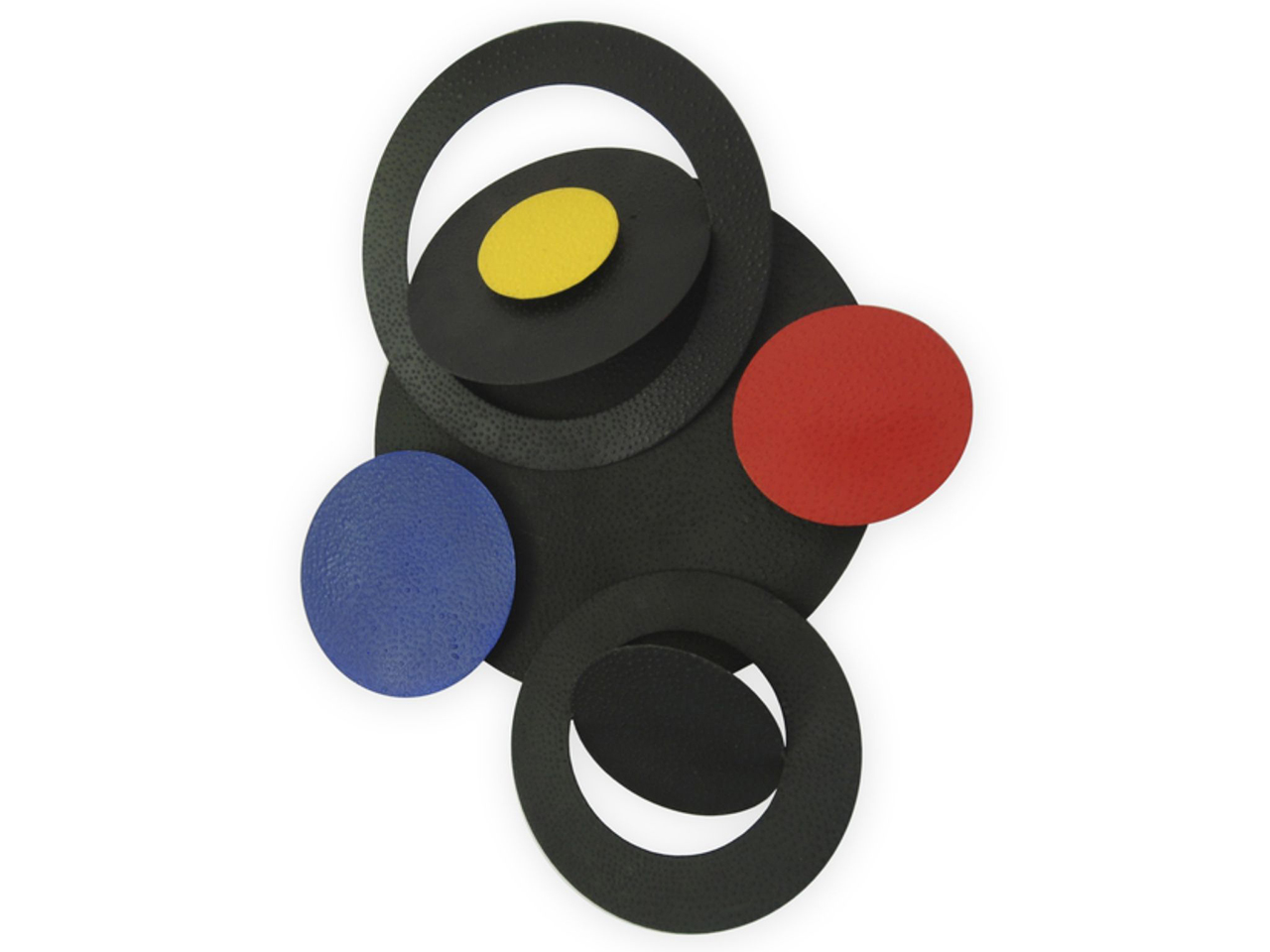
Niños de Guadalajara podrán crear esculturas magnéticas este sábado en el Museo Sobrino
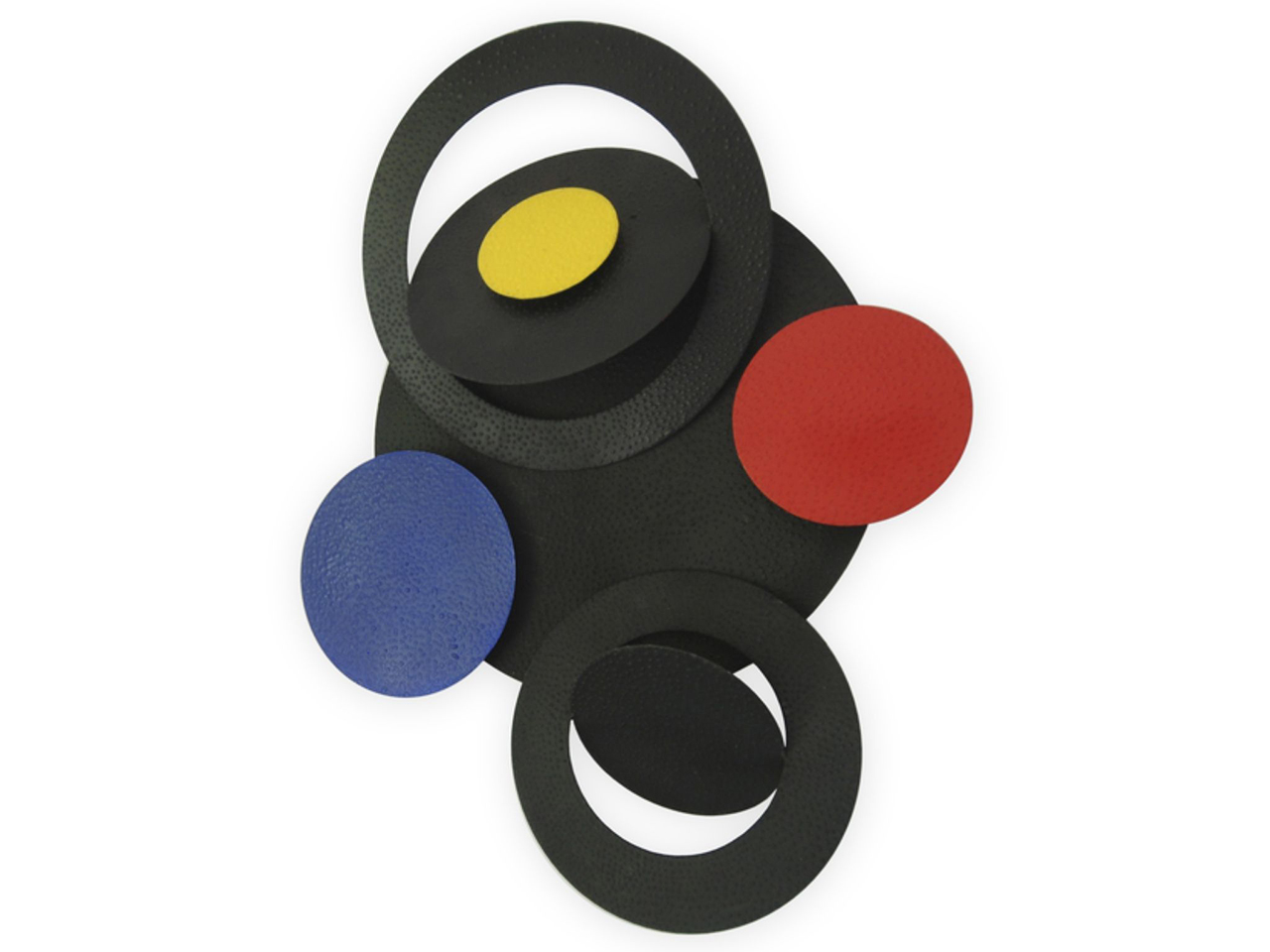
El Museo Francisco Sobrino de Guadalajara organiza este sábado, 18 de julio, el taller didáctico «Inspirados por Layla D’Angelo». La actividad está dirigida a menores de entre 6 y 12 años y se desarrollará en horario de 11:30 a 13:00 horas, con el objetivo de que los más pequeños construyan sus propias esculturas geométricas.
Esta propuesta didáctica se integra dentro de la exposición temporal «B Forever», que permanecerá abierta en el museo hasta el próximo 6 de septiembre. Antes de pasar a la acción, los participantes recorrerán la muestra de la artista neoyorquina Layla D’Angelo. Su obra, basada en el arte cinético, el constructivismo y el arte óptico, utiliza estructuras de hierro e imanes que permiten transformar las piezas mediante infinitas combinaciones. Tras analizar este proceso, los menores experimentarán de primera mano uniendo, separando y reorganizando piezas para crear sus propias composiciones modulares.
El taller cuenta con un aforo limitado a 15 plazas y la organización confirma que todavía quedan vacantes. Las familias interesadas pueden formalizar la inscripción de forma presencial en las instalaciones del museo durante su horario de apertura (martes, sábados y domingos de 9:30 a 13:30 horas, y de martes a sábado de 16:30 a 20:30 horas) o llamando al teléfono 689 67 43 58.
Tradición y evolución del arte óptico en la capital
El archivo histórico de Liberal de Castilla refleja cómo el Museo Francisco Sobrino se ha consolidado como el epicentro del arte contemporáneo y participativo en Guadalajara. Las publicaciones de este medio muestran una trayectoria expositiva que siempre ha mantenido un firme compromiso con el legado de Francisco Sobrino, promoviendo el arte cinético y geométrico en la ciudad.
La actual muestra de Layla D’Angelo y la organización de este taller infantil suponen un paso más en esta evolución documental. El museo no se limita a la exhibición pasiva, sino que continúa la tradición de acercar las vanguardias al público alcarreño mediante la interacción directa. Con este tipo de iniciativas, el espacio cultural logra que los principios del arte óptico sigan vigentes, conectando el movimiento y las formas geométricas con las nuevas generaciones de la provincia.
-
Open Channels FM: Multi-Layered Security and the Future of Hosting in an AI World
In this episode, Adam and Aaron discuss evolving web security in the AI era, emphasizing proactive strategies, layered defenses, and the vital role of hosts in protecting websites against modern threats. Secure your online presence!
-
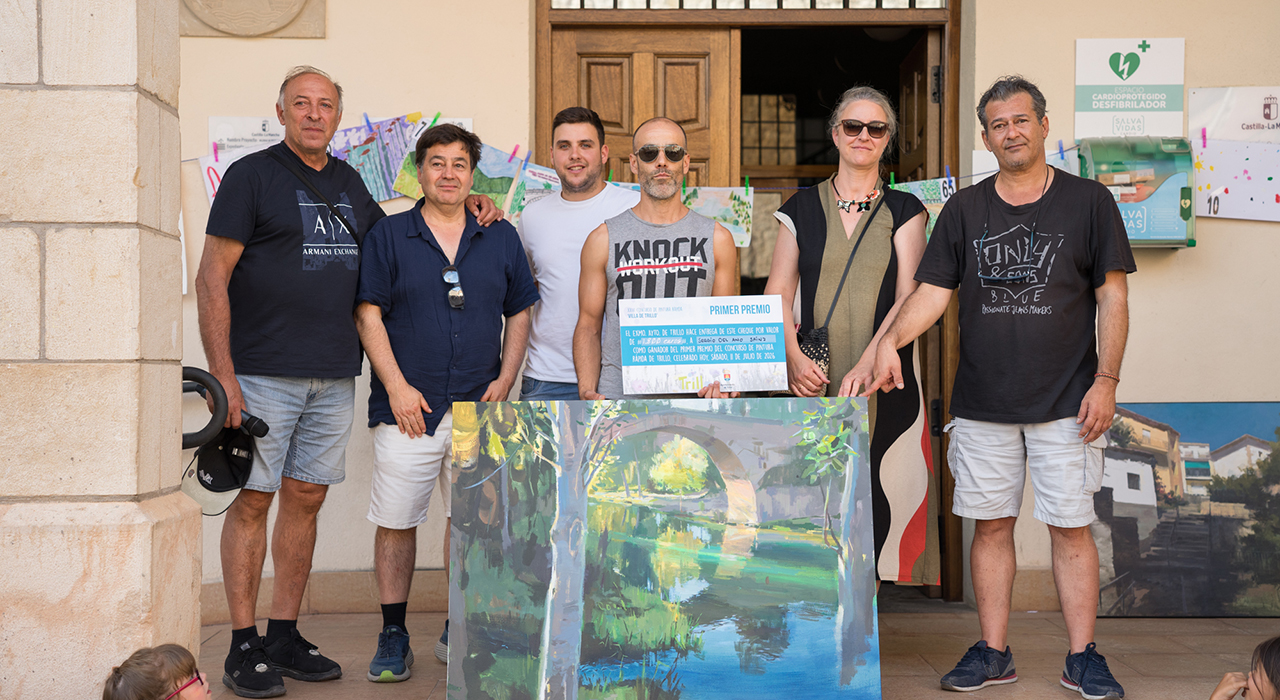
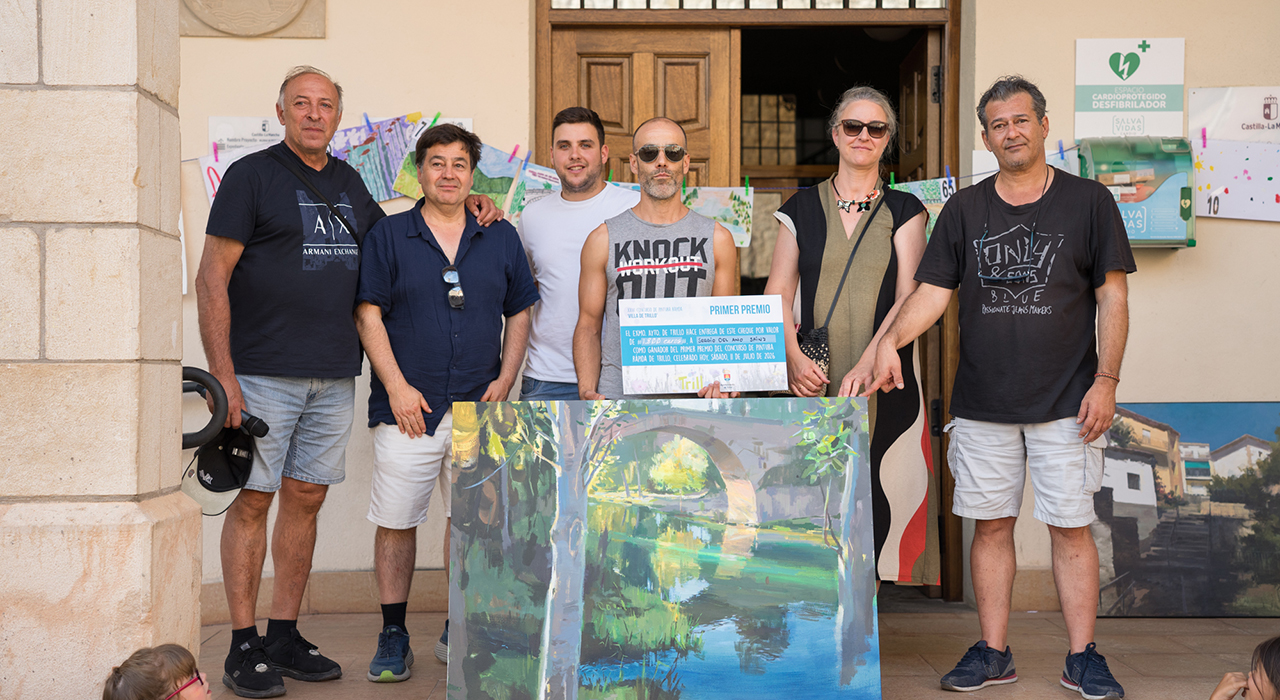
Sergio del Amo gana el XXIII Concurso de Pintura Rápida ‘Villa de Trillo’ con una obra inspirada en el frescor del río Tajo
Trillo volvió a convertirse este sábado en un inmenso taller de pintura al aire libre con motivo de la celebración de la XXIII edición del Concurso de Pintura Rápida Villa de Trillo, una cita ya consolidada en el calendario cultural de la provincia que reunió a un total de 78 artistas, entre pintores profesionales, aficionados y jóvenes promesas. Cerca de la mitad de los participantes fueron niños y niñas, un dato que refleja la excelente salud y el prometedor futuro de esta disciplina artística en el municipio.
Desde primera hora de la mañana, caballetes, lienzos, pinceles y acuarelas comenzaron a ocupar algunos de los rincones más emblemáticos de Trillo. El puente sobre el Tajo, la calle Tajonada, la plaza Mayor, las cascadas, la calle Jardines o las orillas del río se llenaron de artistas que buscaron la mejor perspectiva para plasmar sobre el lienzo la esencia de un pueblo que, en pleno inicio del verano, luce especialmente espectacular gracias a la combinación de los verdes de su frondosa arboleda y los azules del río Tajo, que atraviesa el casco urbano y define gran parte de su paisaje.
Junto a los pintores, decenas de vecinos, visitantes y curiosos recorrieron las calles disfrutando del proceso creativo, contemplando cómo las obras iban cobrando forma a lo largo de la jornada y contribuyendo a crear un ambiente cultural y artístico que volvió a ser uno de los grandes atractivos del concurso.
Tras varias horas de trabajo, a las cinco de la tarde los artistas dejaron los pinceles para exponer sus obras en la plaza Mayor, donde permanecieron durante más de dos horas mientras el jurado analizaba detenidamente cada una de las propuestas antes de emitir su fallo.
En esta ocasión, la deliberación fue especialmente sencilla. Los cuatro miembros del jurado coincidieron plenamente en la valoración de las principales obras premiadas, algo poco habitual en un certamen de estas características.
“Me ha gustado mucho; ha estado mejor que ediciones anteriores. Había buen nivel de pintores y de acuarelistas y, lo mejor de todo, es que el jurado, compuesto por cuatro personas, coincidimos todos en los primeros premios. Nos vamos tranquilos porque creo que estuvo muy claro quiénes se los merecían y también el orden. Y, sobre todo, lo más bonito ha sido la enorme participación de niños; eso le da un punto muy emotivo”, destacaba el pintor Pablo Santibáñez.
En la misma línea se expresaba Antonio Cavagnaro: “lo curioso fue eso, que coincidimos prácticamente en todos los premios, incluso en el orden. Quizá era muy notoria la calidad de esos cuadros que sobresalían sobre el resto. Aun así, el nivel general fue bastante alto y hubo varias obras muy buenas”.
El jurado estuvo integrado por los reconocidos pintores Pablo Santibáñez y Antonio Cavagnaro, junto a los artistas locales Mercedes Torres y Javier Bodega. Además, el concejal de Cultura del Ayuntamiento de Trillo, Pablo Sancho, y el pintor cifontino Enrique Novella participaron en la deliberación con voz, pero sin voto.
Sergio del Amo conquista el Primer Premio
El Primer Premio del certamen, dotado con 1.800 euros, fue para el pintor Sergio del Amo gracias a una luminosa interpretación del puente de Trillo y el río Tajo, una obra que conquistó por unanimidad al jurado. Visiblemente satisfecho tras recoger el galardón, Del Amo aseguraba que Trillo es uno de esos concursos a los que siempre desea regresar. “He venido muchas veces; es un concurso que me motiva, que me inspira y al que siempre me apetece venir. Es la segunda vez que gano el primer premio y siempre hay algo en común en mis cuadros de Trillo: los verdes, el frescor, el inicio del verano. Es algo mágico que enamora”.
El artista, con fuertes vínculos familiares con la comarca, concretamente con Peralveche y Pareja, explicó también qué había buscado transmitir con su obra. “Quería captar ese frescor, que cada vez escasea más. Ha sido un cuadro que ha fluido desde la primera mancha y me he divertido muchísimo pintándolo. Además, aquí hay un jurado que entiende de pintura y sabe verla; eso también es importante”.
Reconocido pintor de la provincia de Guadalajara y actualmente muy centrado en la escultura monumental, Del Amo confesó que regresar a pintar al aire libre en Trillo había supuesto un auténtico reencuentro con la pintura. “Es el primer concurso que hago después de un tiempo parado, muy metido en el estudio. Venir aquí, respirar, darse un baño en el río… todo eso también alimenta e inspira a los pintores”.
El Segundo Premio fue para una preciosa vista de las antiguas casas situadas sobre Las Pasaderas, de Iker Nugarra; también retrató este mismo barrio, situado sobre las cascadas, Jinshong Rao, haciéndose con el Tercer Premio. El Cuarto Premio fue para Justin Philip Williams y su visión del inicio de la calle San Blas.
En la categoría de acuarela, José María Sánchez obtuvo el Primer Premio por otra bella vista del río, en su caso con unos piragüistas, y Anne Pascual Palacios se hizo con el Segundo, con otra vista del puente. Andrea Romero volvió a hacerse con el Premio Local, esta vez con una calle de Azañón, Fernando Herrero recibió el Premio Provincial y la joven Adriana Moreno consiguió el Premio Juvenil en su primera participación en el certamen. En categoría infantil, la ganadora fue Candela Pérez, de ocho años, con su versión del edificio del Ayuntamiento de Trillo.
Además, todos los niños y niñas participantes recibieron un lote de material de pintura y dibujo como reconocimiento a su entusiasmo y participación.
Una apuesta por el arte y el futuro
Los premios se entregaron pasadas las siete de la tarde en una plaza Mayor repleta de público que pudo contemplar durante varias horas las cerca de 80 obras realizadas a lo largo de la jornada.
El concejal de Cultura, Pablo Sancho, fue el encargado de entregar los galardones junto a los miembros del jurado. Durante el acto destacó que “el Concurso de Pintura Rápida se ha consolidado como una de las citas culturales más importantes del verano en el municipio y cada año consigue atraer a grandes artistas, al tiempo que despierta la ilusión y la creatividad de los más pequeños. Ver a tantos niños pintando por nuestras calles es, sin duda, la mejor garantía de futuro para este certamen y para la cultura.»
Por su parte, Javier Bodega, miembro del jurado y parte de la organización del concurso, agradeció la implicación de todos los participantes, especialmente de los pintores llegados desde distintos puntos de España, así como la participación de los niños, la asistencia del público y la colaboración del Ayuntamiento de Trillo, que hacen posible que el certamen continúe creciendo edición tras edición.
Con una muy buena participación, un ambiente excepcional y un nivel artístico que el propio jurado calificó de muy alto, la XXIII edición del Concurso de Pintura Rápida Villa de Trillo volvió a demostrar que el municipio sigue siendo un lugar de inspiración para decenas de artistas y una cita imprescindible para los amantes de la pintura al aire libre.
-
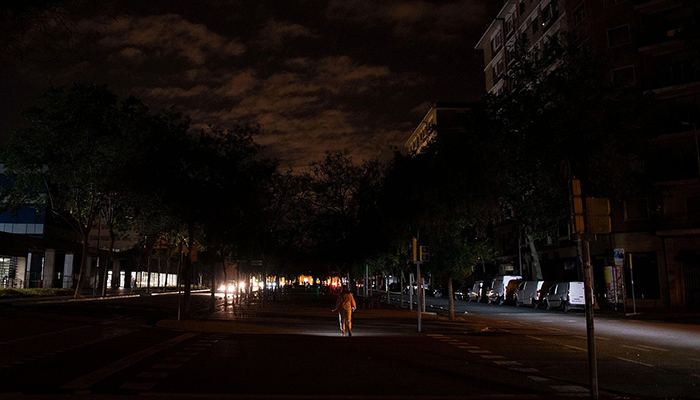
UNED Guadalajara y el Colegio de Ingenieros analizan en un nuevo curso de verano las consecuencias técnicas y los retos pendientes tras el histórico apagón de 2025
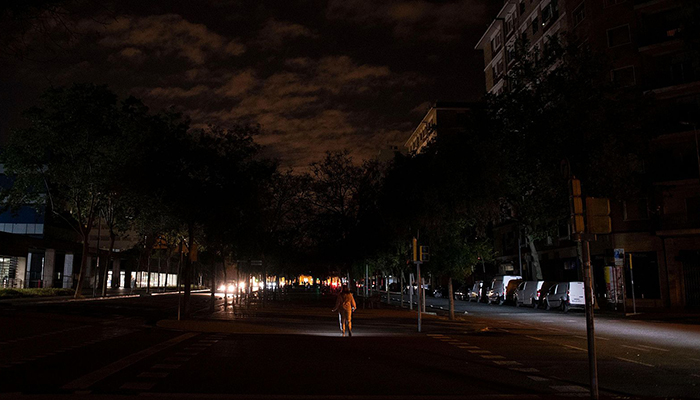
El incidente del 28 de abril de 2025, que colapsó el suministro a nivel nacional, será el punto de partida del curso de verano «Sistema energético: retos y oportunidades para la próxima década». Las sesiones se desarrollarán del 13 al 15 de julio, organizadas conjuntamente por la UNED Guadalajara y la delegación provincial del Colegio Oficial de Ingenieros Industriales de Madrid (COIIM).

Durante tres días, especialistas del ámbito académico, energético e industrial debatirán sobre la capacidad real de las infraestructuras eléctricas actuales para sostener la transición hacia fuentes renovables y la creciente electrificación del transporte y la industria. Santiago Verda Henche, coordinador del curso y vicepresidente de la delegación del COIIM en Guadalajara, señala que el objetivo es acercar a la sociedad un debate determinante para el desarrollo económico y territorial, explicando de forma comprensible los cambios en la producción, distribución y consumo de energía. El programa incluye el análisis de factores como las caídas de tensión que provocaron el apagón, así como las oportunidades que abren el hidrógeno, el almacenamiento en baterías y la expansión de los puntos de recarga para vehículos eléctricos.
Contexto y evolución
El apagón masivo del 28 de abril del pasado año supuso una prueba de estrés sin precedentes para la provincia de Guadalajara y el conjunto de Castilla-La Mancha. El colapso obligó al Gobierno regional a activar la fase de emergencia de nivel 2 del PLATECAM ante la avalancha de incidencias. En la capital, los bomberos del Ayuntamiento tuvieron que intervenir para rescatar a 22 personas que quedaron atrapadas en ascensores, mientras que cerca de 700 pasajeros de la red AVE fueron alojados temporalmente en el Palacio Multiusos de Guadalajara al interrumpirse la circulación ferroviaria.
A nivel estructural, el suceso también impactó en infraestructuras críticas del entorno provincial. La central nuclear de Trillo, que se encontraba en situación de parada previa por recarga, tuvo que arrancar sus generadores diésel de emergencia para garantizar las condiciones de seguridad. Un año después, el debate ha dejado atrás la simple reconstrucción cronológica del fallo para centrarse en un desafío técnico de mayor envergadura: cómo almacenar la energía renovable cuando la producción supera la demanda inmediata. En este sentido, la falta de modernización de las redes amenaza con limitar la llegada de nuevos proyectos industriales a Guadalajara y frenar la expansión urbanística, evidenciando que la vulnerabilidad de las infraestructuras tiene un impacto directo sobre la economía local.
-
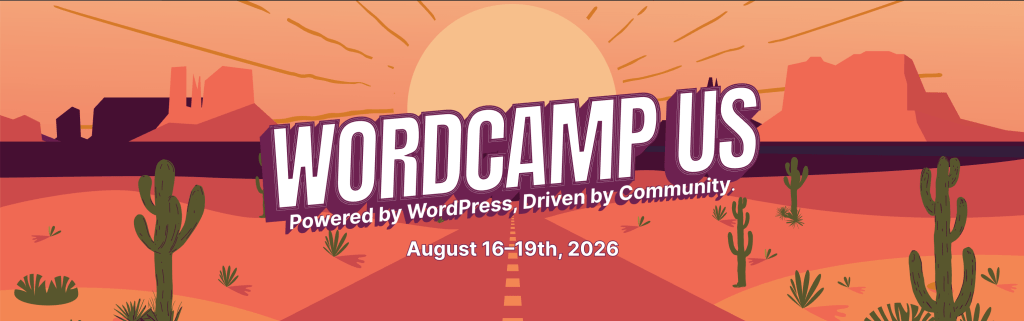
WordPress.org blog: Your Guide to WordCamp US 2026

 August 16-19, 2026 | Phoenix Convention Center, Phoenix, Arizona
WordCamp US 2026 returns for another year, this time in Phoenix, Arizona, for four days, August 16 to 19. It comes at a moment of real energy for WordPress, as artificial intelligence reshapes everyday workflows, the business of building and maintaining sites is shifting, and new people keep discovering the platform every day. Four tracks address this moment, covering AI, Honing Your Skills, Technical WordPress, and Beginner WordPress. Between them, there is something for everyone, whether you lead an agency, freelance for local clients, write code for a living, or are building your very first site. Whatever draws you in, you will leave Phoenix better equipped and better connected than ever.
Phoenix itself rewards anyone who adds a day or two to their trip. The capital of Arizona sits in the Sonoran Desert and pairs a lively downtown with a rich arts and food scene. The Roosevelt Row arts district is known for its galleries, murals, and independent restaurants. It is also home to one of the largest art walks in the region. Nearby, Chase Field and the Footprint Center host professional baseball and live shows, and the surrounding desert offers striking scenery at places like Papago Park and the Desert Botanical Garden.
Start with Contributor Day
The week begins with Contributor Day, a full day set aside for giving back to the project that makes everything else possible. Attendees will gather in teams to improve WordPress itself, from Core code and documentation to design, training, accessibility, and translation.
WordPress is so unique because we’re not just a product; we’re a movement.
Matt Mullenweg, WordPress Cofounder
Contributor Day is open to everyone, whatever your skills, and whether or not you have ever contributed before. Come and experience the open source collaboration that is at the heart of the project. Signing up in advance helps us prepare our veteran contributors and provide you with the best experience.


Explore Real-World Projects on Showcase Day
Day 2, Showcase Day, is dedicated to real-world WordPress projects and focuses on how teams develop features, manage publishing, and run demanding sites at scale. It brings to life the kind of work collected in the WordPress Showcase, the directory of standout sites built on the platform, from global brands like Disney to community publishers and institutions like NASA. Past WordCamp US Showcase days have brought teams from the likes of Wikimedia and CANCOM to explain how they manage large, high-traffic systems. Other sessions took a builder’s perspective on catching bugs faster with automated testing and even running the Block Editor inside a custom app.

Dive Into Two Conference Days
The two main conference days will bring a full slate of sessions across four tracks. First among them is the AI track, which treats the technology as a tool to handle with care rather than a headline to chase. Its sessions set guardrails for AI-assisted development, prepare for a web where AI agents become the visitors a site must serve, and weigh the legal and ethical questions of putting AI tools in the hands of clients. Speakers from companies like Elementor will be taking a look at where the web is heading, while keeping the focus on what teams can adopt today without giving up control of their work.
The Technical WordPress and Honing Your Skills tracks cover the craft and business of building with WordPress. On the technical side, sessions dig into modern development workflows, automated testing with tools like the browser-based WordPress Playground, and plugin pipelines. The Honing Your Skills track adds practical guidance on pricing, maintenance, and how the agency model is changing as clients ask for more. The Beginner WordPress track keeps the door open for newcomers, with approachable sessions that make your first WordCamp less daunting. Hands-on work runs through all of these tracks, so alongside the talks, attendees will find workshops and working sessions where they can build something real and leave ready to apply it to their own projects.


Not all of the value happens in the session rooms. On the show floor, the Happiness Bar is a free, drop-in help desk where you can sit down with a volunteer WordPress expert and work through whatever has you stuck. The Sponsor Hall next door is where many of the best unplanned conversations happen, and its Career Corner gives anyone weighing their next move a relaxed place to browse the job board, meet company reps, and see who is hiring across the ecosystem.
Plan Your Trip to Phoenix
Getting to Phoenix is straightforward. The Phoenix Convention Center sits in the heart of downtown, less than five miles from Phoenix Sky Harbor International Airport (PHX) and about 15 minutes away on the Valley Metro light rail. WordCamp US has a room block at the Sheraton Phoenix Downtown, close to the convention center, so book your hotel before the block fills, and reserve your ticket if you have not already. The full event lineup and details live on the WordCamp US 2026 site, and the conference closes with an evening social before everyone heads home.
Help Us Spread the Word!
Whether attending in person or following along online, share your experience and help welcome others to the WordPress community. Use the #WCUS and #WordPress hashtags to tell your story on social.
-

Seis municipios de Guadalajara acogerán 28 espectáculos de la Red de Artes Escénicas hasta enero

El Gobierno de Castilla-La Mancha ha definido la programación de otoño de la Red de Artes Escénicas, que llevará un total de 28 espectáculos a seis municipios de la provincia de Guadalajara desde este mes de julio hasta el próximo 6 de enero. Con una financiación regional de 48.593 euros, que será complementada por los propios consistorios, la iniciativa desplegará su agenda cultural en Cabanillas del Campo, El Casar, Fontanar, Horche, Yunquera de Henares y la capital alcarreña.
Desglose de la oferta cultural
La cartelera abarca disciplinas diseñadas para todos los públicos, abriendo espacio al teatro, el circo, la música y los títeres. En Guadalajara capital, que acogerá seis actuaciones, el peso recae sobre propuestas musicales destacadas como ‘El Mesías de Händel’ y el concierto de Kiko Veneno. La oferta de la ciudad se completa con ‘Lucía di Lammermoor’ y las obras teatrales ‘La pasión infinita’, ‘La vida extraordinaria’ y ‘Bestseller. La obra que Lorca nunca escribió’.
En la provincia, El Casar lidera el volumen de programación con siete espectáculos, apostando por formatos abiertos como el teatro de calle con ‘Alicia en el país de las maravillas’, además de actuaciones de circo. Cabanillas del Campo suma seis citas culturales que incluyen títeres y marionetas; Yunquera de Henares acogerá cuatro propuestas (tres obras de teatro y una de circo); Fontanar ha programado tres espectáculos, y Horche ofrecerá dos representaciones teatrales.
Para cubrir esta demanda, los escenarios de Guadalajara recibirán a 12 compañías castellanomanchegas y a nueve agrupaciones procedentes del resto del país. Según ha explicado el delegado provincial de Educación, Cultura y Deportes, Ángel Fernández-Montes, este modelo de colaboración económica con los ayuntamientos garantiza una programación estable y democratiza el acceso a las artes escénicas en el territorio. A nivel autonómico, la temporada movilizará 121 espectáculos, de los cuales 82 son producciones de la región, lo que supone una inyección directa para el empleo en el sector cultural.
Hemeroteca y contexto histórico
Históricamente, la Red de Artes Escénicas y Musicales de Castilla-La Mancha se ha consolidado como la principal herramienta de supervivencia cultural para los municipios de tamaño medio en Guadalajara. Siguiendo el rastro de ediciones pasadas en el archivo de Liberal de Castilla, se observa que este circuito cofinanciado es el único mecanismo que permite a los ayuntamientos locales asumir cachés de espectáculos de primer nivel y de artistas reconocidos que, fuera de este paraguas, quedarían restringidos a las grandes capitales.
La evolución del programa en los últimos años refleja un cambio en los patrones de consumo cultural de la provincia. La decisión de municipios como El Casar y Fontanar de apostar firmemente por los espectáculos de calle y el circo no es casual; responde a una estrategia ya probada en temporadas anteriores para sacar la cultura de las casas de la cultura y llevarla a las plazas, facilitando la integración de los vecinos. Más allá del entretenimiento, la Red mantiene su papel original: funcionar como el soporte económico básico para que las compañías teatrales castellanomanchegas puedan mantener su actividad durante los meses de otoño e invierno.
-
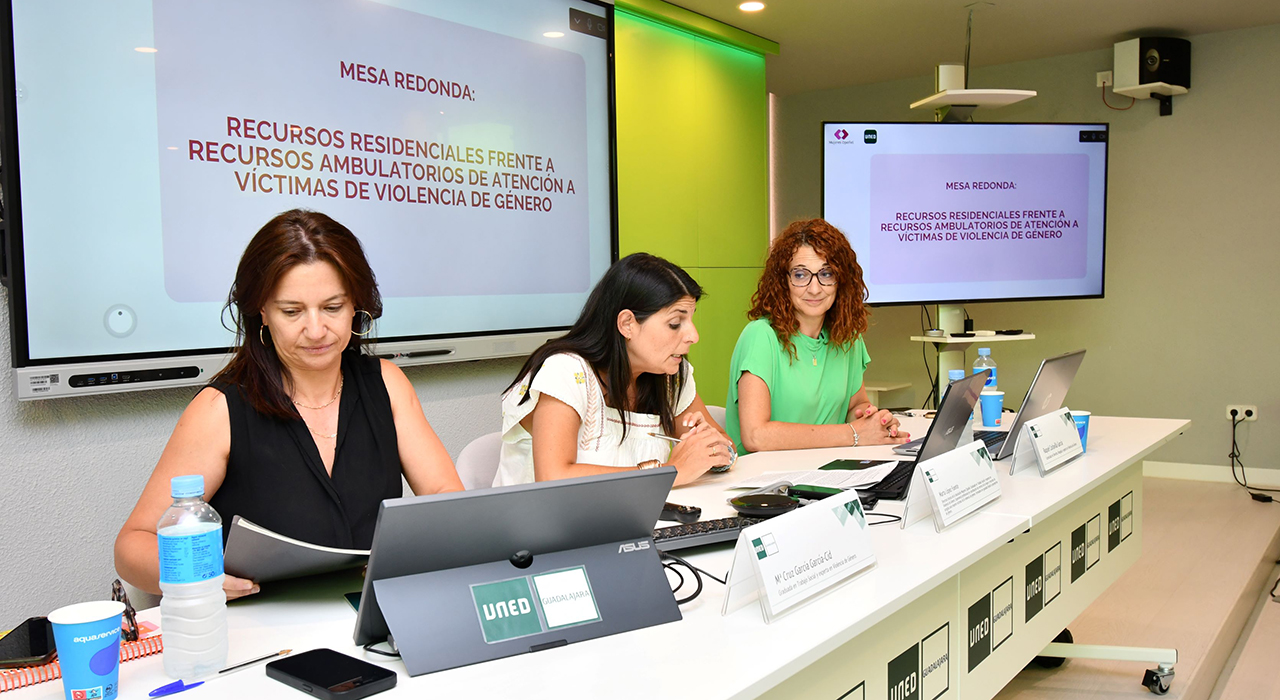
Denunciar, intervenir, acompañar: una mirada transversal a la violencia de género, en el cuarto curso de verano de UNED
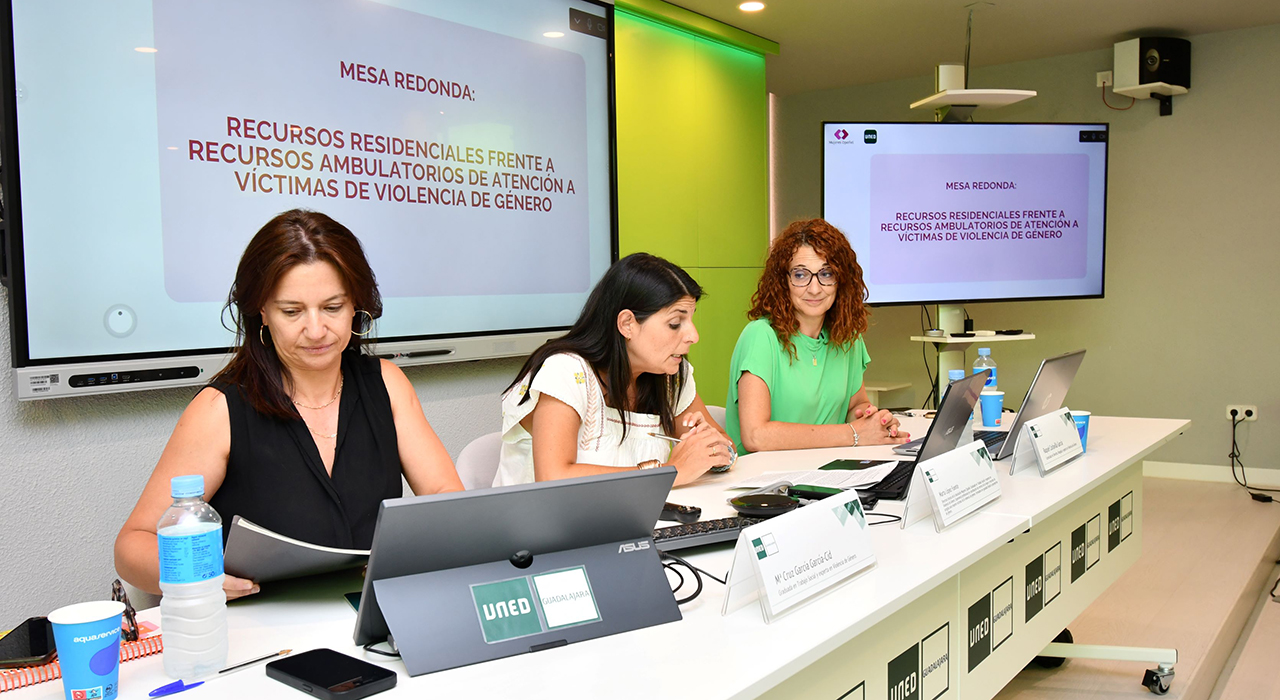
UNED Guadalajara ha concluido su cuarto curso de verano, que ha ofrecido una visión práctica e integral sobre la violencia machista. Bajo el título ‘Violencia de género: perspectivas, recursos e intervención integral’, diferentes expertos del ámbito jurídico, psicológico y social, especializados en violencia de género e igualdad, han abordado este problema desde el momento inicial -la denuncia o la llegada a un recurso de acogida-, hasta el proceso judicial, sin olvidar la asistencia jurídica y el impacto en la salud psicológica de la víctima, el acompañamiento profesional y emocional, los recursos que existen o la violencia vicaria.
“El curso ha pretendido ofrecer un enfoque multidisciplinar unificando teoría y práctica profesional”, afirma el director del curso, Pedro Javier Amor Andrés, Profesor Titular del Departamento de Psicología de la Personalidad en la UNED.
Una mujer, un caso
A lo largo de ocho sesiones, los asistentes -que han seguido el curso de forma presencial y online-, han podido conocer en profundidad qué significa el concepto de violencia de género y la importancia de tener una mirada interseccional del problema, una perspectiva amplia e integral que tenga en cuenta que existen muchos condicionantes y diferentes discriminaciones que hacen que la violencia se viva de forma individualizada. No todas las violencias son iguales, por tanto, no todas las mujeres la viven de la misma forma y su proceso es diferente.
Se ha prestado atención también a analizar la figura del maltratador, hombres que suelen tener «distorsiones cognitivas sobre la víctima, una desconexión moral y un déficit de habilidades de comunicación (asertividad) y solución de problemas», explica Amor Andrés. Y se ha dedicado también una sesión a explicar la “decisión vital” que implica la denuncia por parte de la víctima de violencia de género: “es un punto de inflexión», afirma Raquel Carlavilla, abogada de la Asociación Mujeres Opañel, porque “significa que ya no va a estar sola, se activa el sistema institucional de protección y es, además, una connotación emocional”.
El curso también ha permitido reflexionar sobre la importancia de sensibilizar a los adolescentes sobre violencia de género, entendiendo que actualmente, para prevenir este tipo de conductas, “ya no sirve tanto el mensaje como centrarse en la interpretación y conectar con la narrativa juvenil actual”, afirma la psicóloga Ani Hinchado.
Mirar, intervenir y acompañar mejor
Además, se han revisado los diversos recursos de acogida que existen para víctimas, diferenciando entre ambulatorios y residenciales, siempre con el riesgo como factor principal de medida, así como las herramientas para el acompañamiento y la intervención psicosocial. Finalmente, se ha reparado en la atención jurídica a las víctimas desde el centro asesor de la mujer y el impacto psicológico que el proceso judicial supone para las víctimas, que en muchos casos se sienten culpables, además de la importancia de que exista una buena deontología profesional.
“Lo importante es formarse también para mirar, intervenir y acompañar mejor “, afirma Marta López, coordinadora del curso, que es directora técnica de la Asociación Mujeres Opañel (AMO). “Este curso nos ha recordado que la intervención en violencia de género exige conocimiento, sensibilidad y compromiso; pero, sobre todo, exige situar siempre en el centro a las mujeres, sus derechos, sus tiempos y su capacidad para reconstruir un proyecto de vida libre de violencia”.
El quinto y último curso de verano de UNED Guadalajara de esta 20ª edición arranca este lunes 13 de julio con el ciclo ‘Energía hoy: reto, crisis y futuro’, dirigido por Mercedes Ibarra, donde se aportará una visión integral y actualizada del sistema energético.
-
Open Channels FM: Understanding Open Source Law and AI Impacts in Modern Software Development
In this Open Web Conversations episode, host Anne Bovelett chats with lawyer Carlo Piana about open source software’s legal challenges, AI’s impact on coding, and the importance of proper licensing and attribution.


