 I’m about to review a WordPress plugin rated 1.7/5 in the official repo. Why do I want to do this to myself (and all of you)? Well, AI Agent by SiteGround had a rough start, but there’s more to the story. I’m going to get to all that.
Blog
-
I’m Reviewing the AI Agent by SiteGround – Here’s What It Can and Can’t Do
-
Open Channels FM: Balancing Digital Life While Making the Internet Weird Again
Bowe Frankema shares how digital creation affects daily life and what bringing weirdness back to the internet means.
-
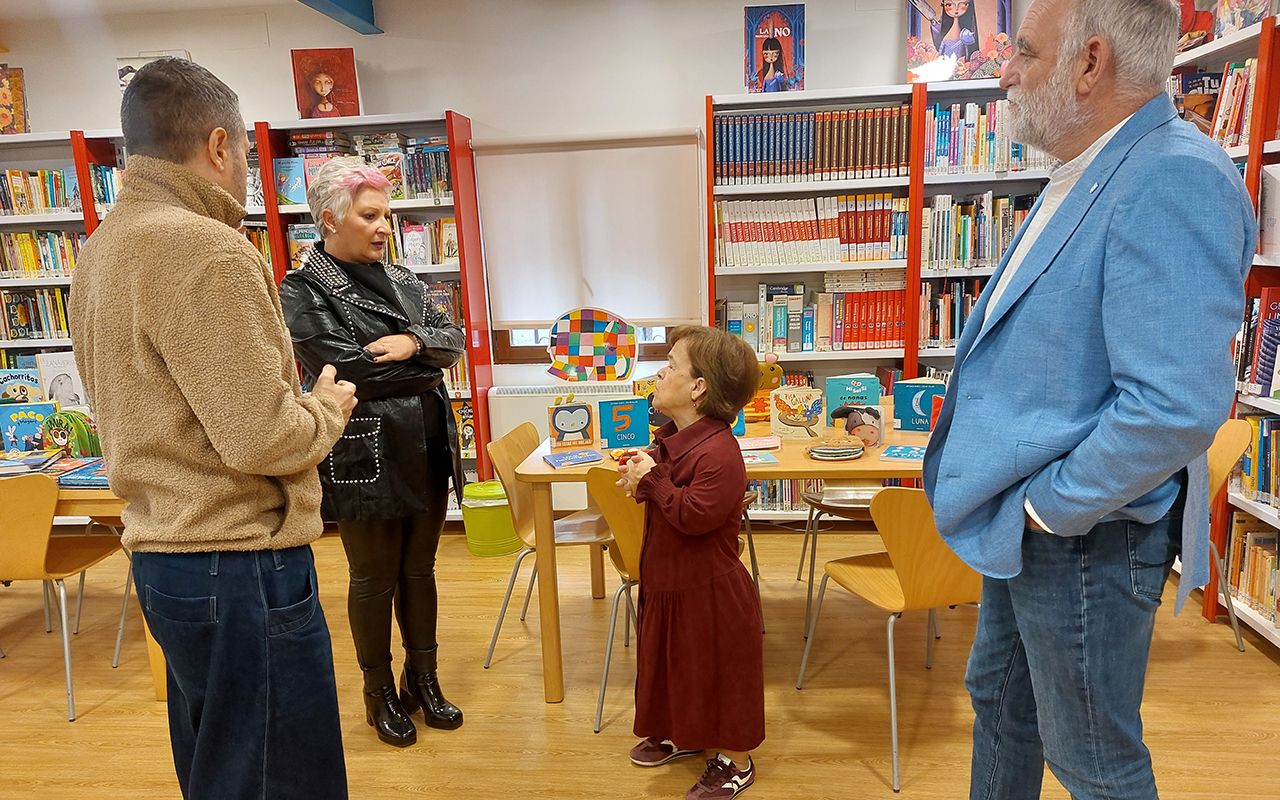
Brihuega y 31 bibliotecas de Guadalajara reciben ayudas para reforzar sus servicios culturales
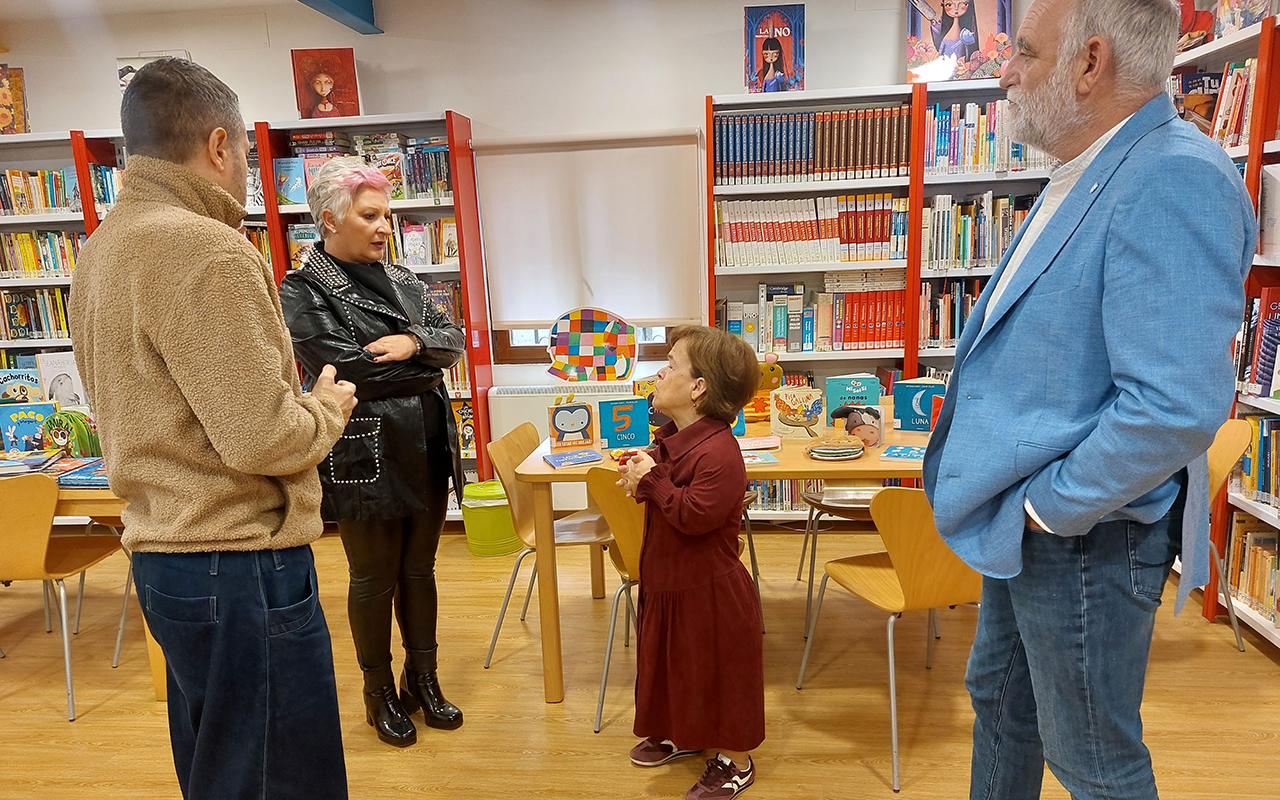
La delegada de la Junta de Comunidades en Guadalajara, Rosa María García, ha visitado la Biblioteca Municipal ‘Manu Leguineche’ de Brihuega con motivo del Día de las Bibliotecas, que se celebra este sábado 24 de octubre, acompañada por el alcalde del municipio, Luis Viejo, y el delegado provincial de Educación, Cultura y Deportes, Ángel Fernández-Montes. El acto ha servido para reconocer los 38 años de trayectoria de la bibliotecaria local Paloma Raso y reivindicar el papel de estos espacios como dinamizadores de la convivencia vecinal en los núcleos rurales de la comarca.
La visita se enmarca en la reciente resolución de la Consejería de Educación, Cultura y Deportes publicada a finales de septiembre en el Diario Oficial de Castilla-La Mancha, a través de la cual 31 bibliotecas públicas de la provincia de Guadalajara se beneficiarán de subvenciones destinadas a la contratación de personal, compra de fondos bibliográficos, mejora de equipamiento y actividades de fomento de la lectura. Esta red se complementa en la capital alcarreña con la programación especial de la Biblioteca Blanca Calvo, que acogerá un mercadillo solidario, exposiciones y el plazo abierto para su tradicional ‘Noche Mágica’ infantil, así como el servicio de Bibliobuses desplegado en los pueblos más pequeños con talleres de imprenta, narración oral y cuentacuentos.
Las ayudas autonómicas asignadas permitirán a los ayuntamientos beneficiarios en el territorio alcarreño consolidar clubes de lectura y programas de alfabetización digital durante la recta final del año. El siguiente paso de los municipios consiste en formalizar la justificación técnica de las partidas para asegurar la dotación de novedades editoriales y material didáctico en las instalaciones comarcales.
-
How to Sell Certificate Courses to Companies and Teams in WordPress
Learn how to sell your online course to companies: team seats, bulk enrollment from a CSV, and a certificate for every learner, using free Masteriyo LMS!
The post How to Sell Certificate Courses to Companies and Teams in WordPress appeared first on Themeisle Blog.
-
Critical PHP Flaws Found: How to Protect Your WordPress Site
Two critical PHP flaws let attackers run code on your server without logging in. Here’s how to check your PHP version and get your WordPress site patched.
The post Critical PHP Flaws Found: How to Protect Your WordPress Site first appeared on WPBeginner.
-
Open Channels FM: Munich Bets on Open Source as Meta Apple and NVIDIA Drive Local AI and Hardware Choices
Munich’s shift to practical open source, Meta and Apple’s AI partnership, and NVIDIA’s hardware-driven open AI models
-
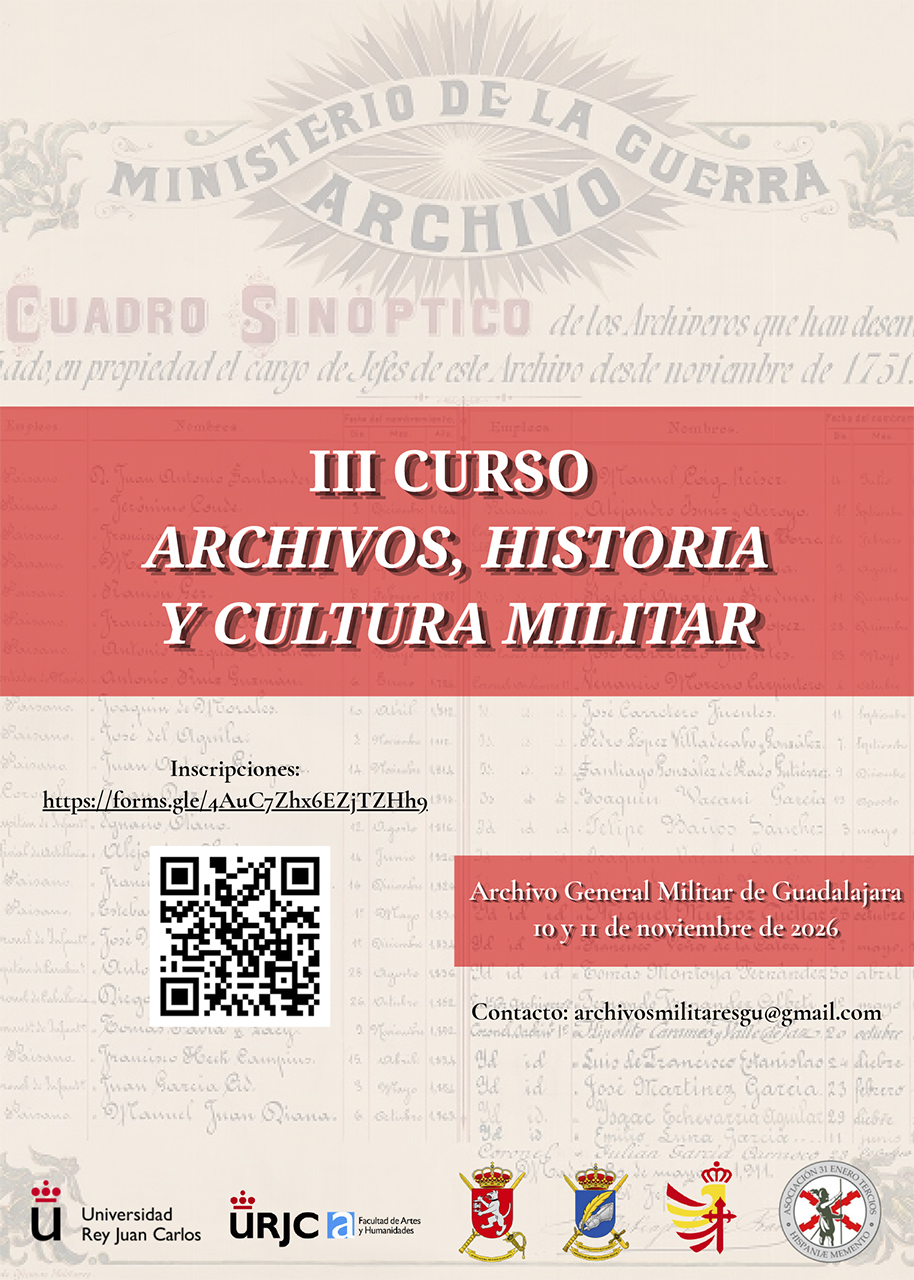
El Archivo General Militar de Guadalajara abre sus fondos al público en un curso gratuito los días 10 y 11 de noviembre
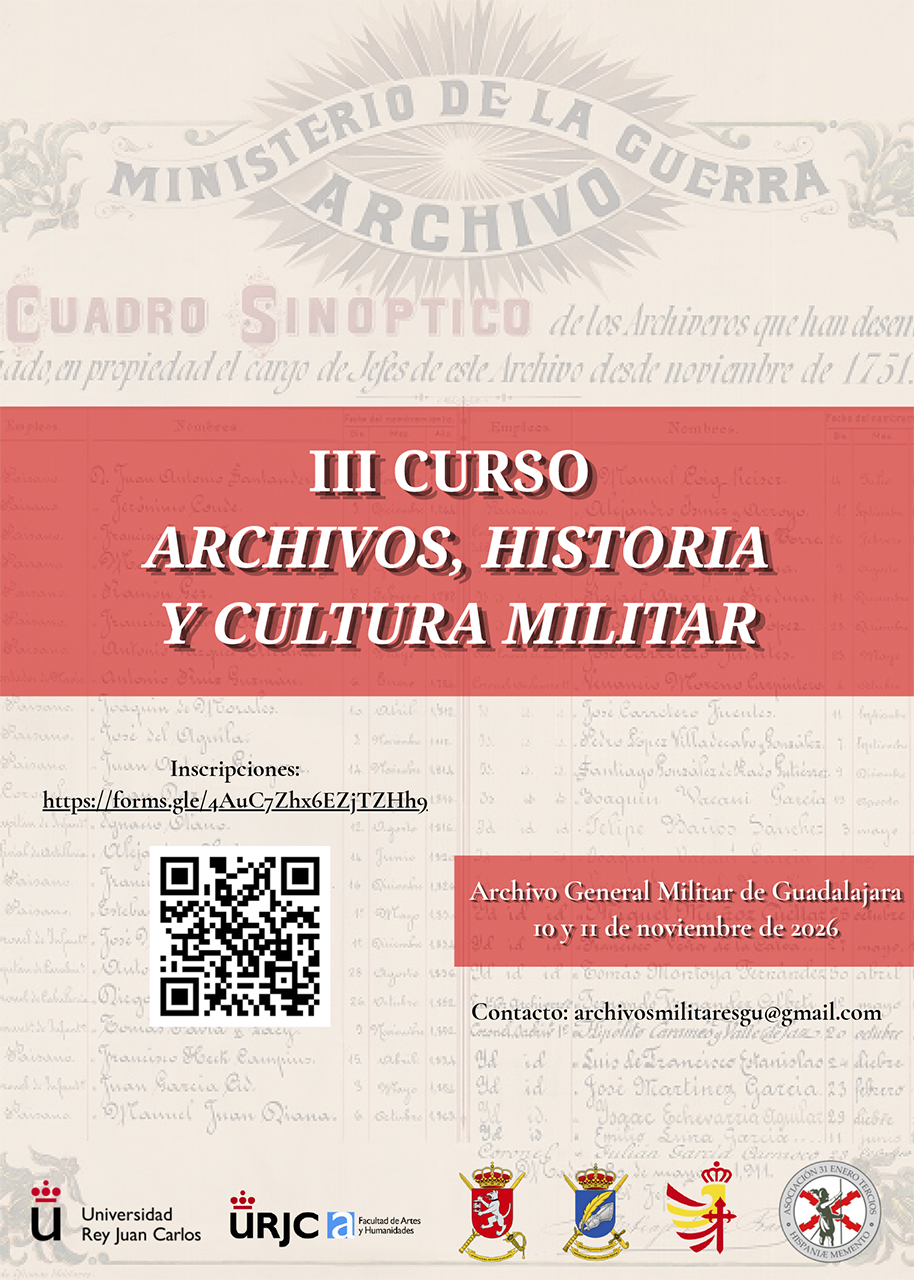
El Archivo General Militar de Guadalajara celebrará los próximos 10 y 11 de noviembre la tercera edición del Curso de Archivos, Historia y Cultura Militar, una propuesta gratuita y abierta al público que acercará a los asistentes sus fondos documentales, la investigación histórica y distintas perspectivas de la cultura militar. Las sesiones se desarrollarán en la sede de la avenida del Ejército, frente al Palacio del Infantado, e incluirán una visita a los depósitos, la sala de referencia y el espacio musealizado del archivo.
El programa abordará asuntos como los cambios en la geopolítica europea, el acceso de los usuarios a los archivos, el patrimonio documental eclesiástico del Ejército de Tierra y la lectura digital de documentos históricos. La jornada del 11 de noviembre incorporará una ponencia sobre la relación entre tropas y territorio en la provincia de Guadalajara durante los años 1936 y 1939, junto a intervenciones dedicadas a la escultura histórica militar y al servicio de armas en la Monarquía de España. El curso reconocerá 0,55 créditos académicos y también podrá seguirse en directo a través del canal de YouTube del Archivo General Militar de Guadalajara.
La actividad está organizada por la Universidad Rey Juan Carlos, el Archivo General Militar de Guadalajara y el Instituto de Historia y Cultura Militar, bajo la dirección del profesor Juan Gabriel Ranera y del coronel José Manuel Ruipérez. La inscripción se realiza sin coste mediante el correo electrónico archivosmilitaresgu@gmail.com.
La convocatoria da continuidad a las dos ediciones anteriores celebradas en 2024 y 2025, orientadas a divulgar las posibilidades de consulta e investigación de este centro entre la ciudadanía y la comunidad universitaria. El Archivo General Militar de Guadalajara custodia documentación de utilidad para el estudio de la historia militar, política, social y económica de España, además de fondos gráficos, cartográficos y audiovisuales.
-
WordPress.org blog: WordPress 7.2 Beta 1 is Ready for Download and Testing
This beta release is intended for testing and development only. Please do not install, run, or test this version of WordPress on production or mission-critical websites. Instead, use a test environment or local site to explore the new features.
How to Test WordPress 7.2 Beta 1
You can test WordPress 7.2 Beta 1 in any of the following ways:
WordPress Beta Tester Plugin Install and activate the WordPress Beta Tester plugin on a WordPress install. Select the “Bleeding edge” channel and “Beta/RC Only” stream. Direct Download Download the Beta 1 version (zip) and install it on a WordPress website. Command Line (WP-CLI) Use this WP-CLI command: wp core update --version=7.2-beta1WordPress Playground Use a 7.2 Beta 1 WordPress Playground instance to test the software directly in your browser. No setup required-just click and go! The scheduled final release date for WordPress 7.2 is December 8, 2026. The full release schedule can be found here. Your help testing Beta and RC versions is vital to making this release as stable and powerful as possible. Thank you to everyone who contributes by testing!
Editing Experience
Responsive Design Controls
Building on the responsive design improvements introduced in WordPress 7.1, WordPress 7.2 expands viewport-specific styling to additional design tools and blocks. Creators gain more granular control over how layouts and visual settings adapt across screen sizes, including responsive Gallery settings for columns, image cropping, and aspect ratios.
Learn more: GitHub #80388, #82003
Improved Global Styles and Design Tools

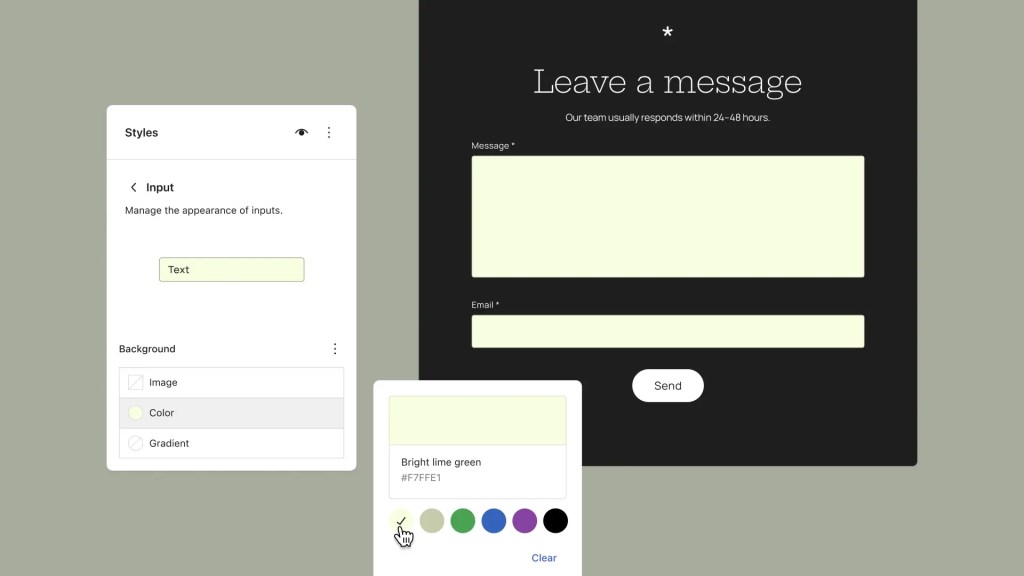
WordPress 7.2 makes site-wide styling easier to manage with a new Customized filter for finding blocks with modified styles and inherited Global Styles values displayed directly in block inspector controls. Expanded design tools and support for styling form elements provide additional flexibility when creating a consistent visual identity across a site.
Learn more: GitHub #82520, #76525, #34198, #84657
Text Shadow Support
WordPress 7.2 introduces new text shadow controls, giving creators more ways to add depth and emphasis to their content. Text shadows can be customized through block settings and defined as presets in
theme.json, making it easier to maintain consistent typography across a site.Learn more: GitHub #73320, GitHub #79584, Trac #65869
Easier Navigation Management
Improvements to the Site Editor make managing navigation links more intuitive. Creators can add, organize, and edit navigation items directly from the editor sidebar, making it easier to maintain site menus without interrupting their editing workflow.
Learn more: GitHub #77069
Better Collaboration with Notes

WordPress 7.2 introduces Emoji reactions on notes and a new toolbar icon that makes Notes easier to access and manage. Notes move to the editor canvas, bringing conversations directly into the margin. Users can now keep Notes and the block settings sidebar open simultaneously, making it easier to review feedback while editing content.
A new minimized Notes mode reduces visual clutter, while improvements to positioning and display create a smoother, more consistent collaboration experience.
Learn more: GitHub #79970, GitHub #83786, GitHub #80015, Trac #64638
Faster, More Efficient Media Uploads
WordPress 7.2 expands client-side media processing to the Media Library, allowing images to be resized, compressed, and converted directly in the browser before being uploaded. This can improve upload performance, reduce server resource usage, and provide better support for modern image formats, particularly on hosting environments with limited image-processing capabilities.
Learn more: Trac #65661, GitHub #12585
New “On This Day” Dashboard Widget
WordPress 7.2 introduces a new On This Day dashboard widget that helps users rediscover content published on the same date in previous years. By highlighting posts from the site’s history, the widget makes it easier to revisit past content, celebrate milestones, and find opportunities to refresh or reshare older posts.
Learn more: Trac #65116
Block Editor Usability Improvements
WordPress 7.2 includes a collection of smaller improvements aimed at reducing friction in everyday editing. These changes include clearer error messages, more helpful feedback when something goes wrong, and refinements to common editor interactions, making the editing experience more predictable and approachable.

Learn more: GitHub #81453, #82496, #84656, #84649
A More Consistent WordPress Admin
WordPress 7.2 continues modernizing the administration experience by replacing legacy Dashicons in the admin bar and sidebar with icons from the WordPress icon library. The updated icons bring greater visual consistency between the traditional WordPress dashboard and newer editing interfaces.
Learn more: GitHub #12270
An Updated Block Settings Experience

A new DataForm-powered inspector introduces a refreshed approach to managing block settings in the editor. Built on the DataForm component system, this work aims to provide more consistent controls and a more extensible foundation for future block editing improvements.
Learn more: GitHub Gutenberg · Call for Testing
Faster WordPress Administration
WordPress 7.2 improves admin performance by modernizing how scripts and stylesheets are loaded. Instead of combining assets into large files, WordPress now loads them individually for better browser caching. A new prefetching mechanism also anticipates which admin screen users are likely to visit next, loading its resources in advance to make navigation between the dashboard, post lists, and editor faster.
Learn more: Trac #57548
For Developers
New Secrets API
WordPress 7.2 introduces a Secrets API, providing developers with a standardized, secure way to store sensitive credentials such as API keys and authentication tokens. The API supports encryption at rest, credential rotation, and customizable storage providers, helping plugins and integrations manage sensitive information more securely.
Random Content Redirects
WordPress 7.2 adds support for random content redirects, allowing visitors to discover a randomly selected post through a dedicated URL. This provides a simple way to encourage content exploration and help readers rediscover older posts.
Learn more: Trac #64498
More Powerful APIs for Developers
WordPress 7.2 expands the Abilities API with new capabilities for accessing and querying WordPress data, providing a more consistent foundation for integrations, automation, and AI-powered tools. (Trac #66268, #64605, #64657)
Enhancements to the Interactivity API introduce new ways to render trusted HTML and manage reactive navigation, giving developers more flexibility when building dynamic, interactive blocks. (Trac #66246, Gutenberg PR #83092)
Additional improvements to the HTML API, block supports, and responsive design tools provide more reliable markup processing and greater control over how custom blocks are styled and displayed across devices. (Trac #65824, #66150, #65869)
How important is your testing?
Testing for issues is a critical part of developing any software, and it’s a meaningful way for anyone to contribute – whether or not you have experience. Details on what to test in WordPress 7.2 are available here.
If you encounter an issue, please share it in the Alpha/Beta area of the support forums. If you are comfortable submitting a reproducible bug report, you can do so via WordPress Trac. You can also check your issue against this list of known bugs.
Curious about testing releases in general and how to get started? Follow along with the testing initiatives in Make Core and join the #core-test channel on Making WordPress Slack.
WordPress 7.2 will include new features that were previously only available in the Gutenberg plugin. Learn more about Gutenberg updates since WordPress 7.1 in the What’s New in Gutenberg posts for versions 23.7, 23.8, 23.9, 24.0, 24.1, 24.2, and 24.3.
What’s new in WordPress 7.2?
With so much in progress for WordPress 7.2 Beta 1, this is still only the beginning; expect continued refinement with each Beta and RC release ahead of the final release on December 8, 2026
Just for you: a Beta 1 haiku:
Ipsum takes the stage
Secrets bloom, designs take shape
New blocks come aliveProps to @audrasjb, @annezazu, @adamsilverstein, @westonruter, @markoserb, @im3dabasia1, @jorbin, and @noruzzaman for proofreading and review.
-
Open Channels FM: Community Without the Noise, Revisited
A commentary on building meaningful online communities that prioritize value and listening over constant activity.
-
OpenStation Blog: OpenStation: turn wp-admin into a desktop, and try it in 30 seconds
OpenStation is a free WordPress plugin that turns wp-admin into a desktop. Every admin screen opens in its own window that you can move, resize and keep open next to the others. You can try it in your browser right now, with nothing to install.
Can’t see the video? Watch it on YouTube.
Why we built it
Most of us spend the day jumping between screens in wp-admin. You open a post, go back to the list, check the media library, then go back again. With OpenStation, those screens stay open side by side, so you don’t lose your place.
What you get
- A window for every admin page: posts, media, settings, plugins
- A dock with your whole admin menu, including your other plugins
- Several desktops, for example one for writing and one for site settings
- Wallpapers, widgets and accent colors
- Cmd+K to jump anywhere fast
- Your windows are still open when you come back
Try it in your browser
Go to the OpenStation page on WordPress.org and click Live Preview. It runs a full WordPress site with OpenStation in your browser tab, so you can’t break anything.
Install it on your site
- In your admin, go to Plugins → Add New and search for “OpenStation”
- Click Install Now, then Activate
- Click the desktop icon in the top-right corner of the admin bar
It’s safe to try
OpenStation is opt-in for each user, so the rest of your team keeps the normal admin. Click the same icon to go back to the classic view. If you deactivate the plugin, wp-admin goes back to exactly how it was. It doesn’t change WordPress core.
Tell us what you think
Have a question? Ask in the support forum. Found a bug or have an idea? Open an issue on GitHub.