AI tools have simplified app creation, enabling rapid prototyping. However, the challenge now lies in discerning which ideas are genuinely valuable to users. As anyone can create apps quickly, the focus should shift from mere production to understanding user needs and ensuring the apps solve real problems to avoid mediocrity.
Author: Gerardo Medina
-
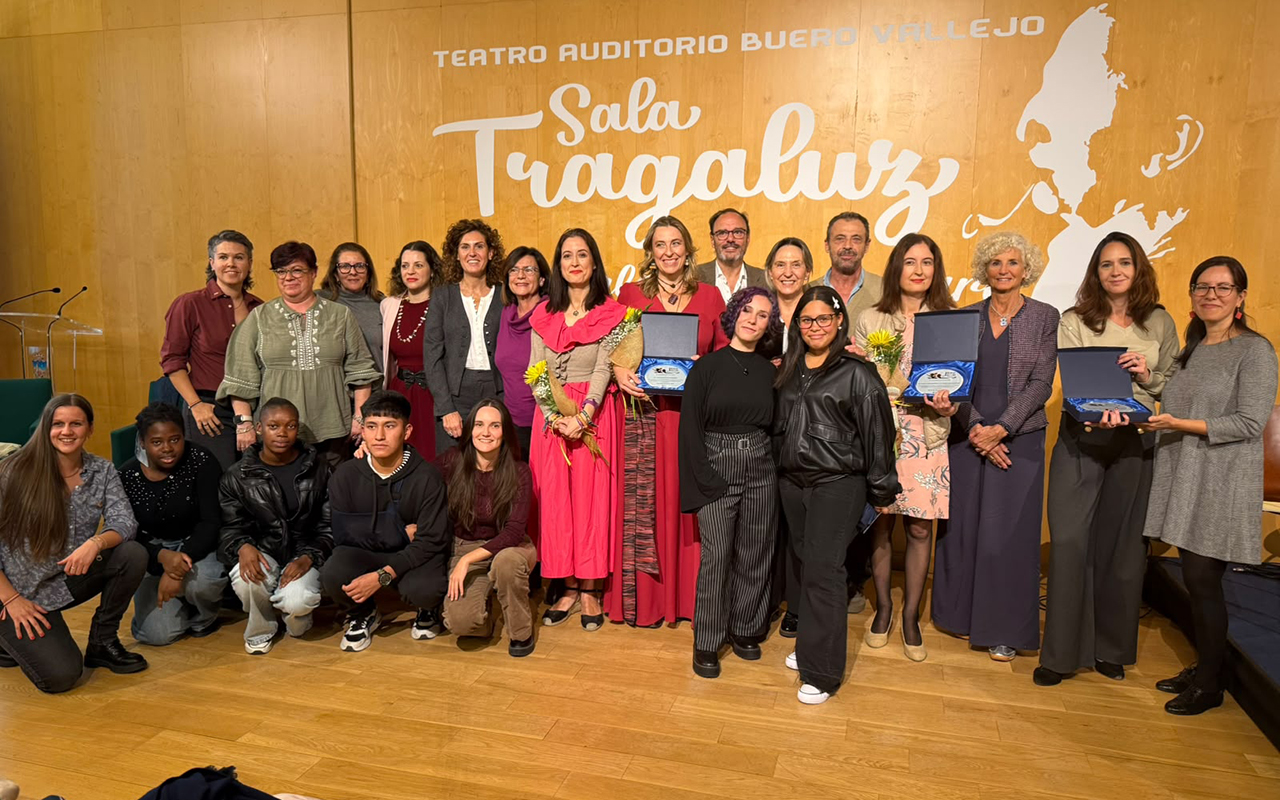
Guadalajara celebra por primera vez el Día de las Escritoras reivindicando el legado y la voz de las mujeres en la literatura
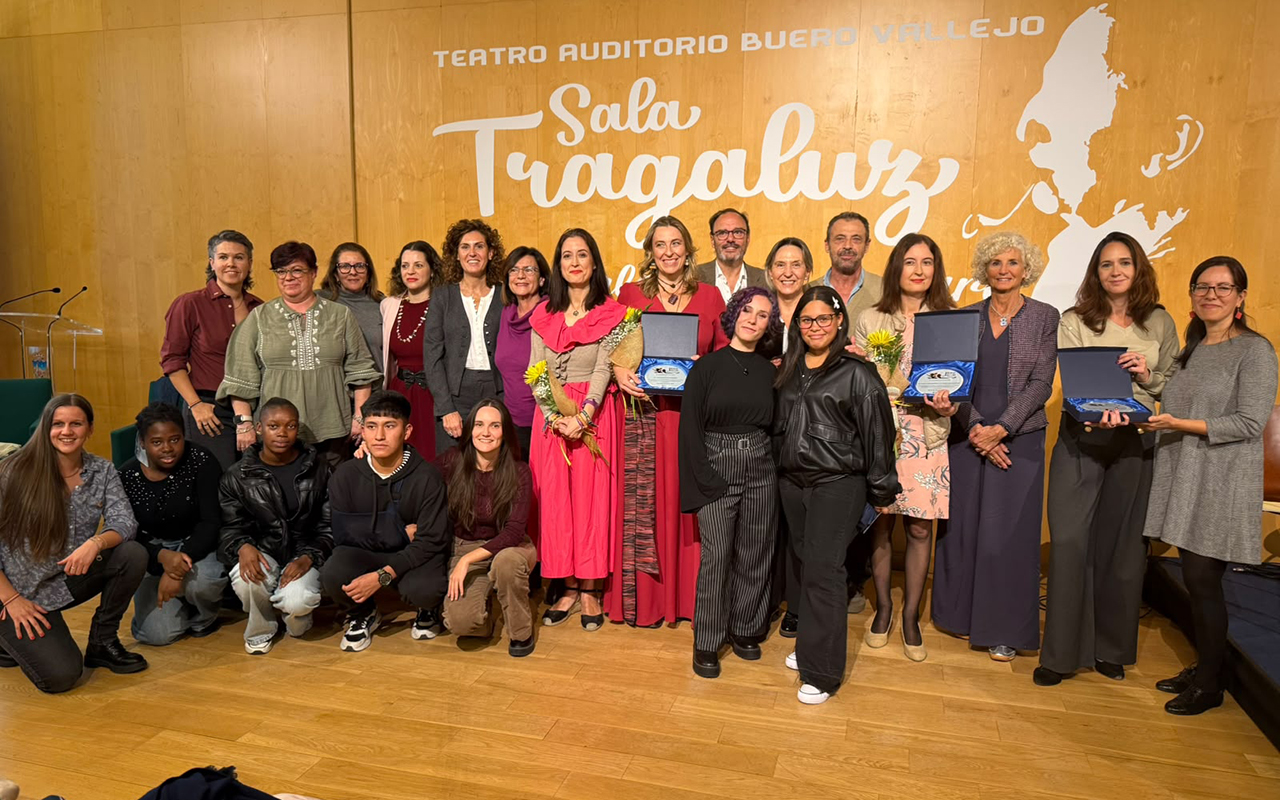
La Sala Tragaluz del Ayuntamiento de Guadalajara acogió este lunes la primera celebración institucional del Día de las Escritoras organizada por el Consistorio, una iniciativa que nace con vocación de continuidad para reconocer la aportación de las mujeres a la literatura y reivindicar su papel en la construcción del patrimonio cultural y literario.
Bajo el lema “La palabra que permanece”, el acto combinó intervenciones institucionales, lecturas públicas de textos de grandes autoras de la literatura universal y contemporánea, reconocimientos a escritoras vinculadas a Guadalajara y una actuación musical de clausura.
La alcaldesa de Guadalajara, Ana Guarinos, destacó durante su intervención que “la literatura es una de las mayores expresiones de la libertad humana” y subrayó la importancia de visibilizar a las mujeres que, a lo largo de la historia, tuvieron que superar obstáculos para desarrollar su vocación literaria.
“Celebrar el Día de las Escritoras significa reconocer una aportación que durante demasiado tiempo permaneció en segundo plano y reivindicar el lugar que corresponde a tantas mujeres que han enriquecido nuestro patrimonio cultural”, señaló la alcaldesa.Guarinos puso además en valor el carácter cultural y literario de Guadalajara, recordando que la ciudad es conocida como la Ciudad del Cuento y cuenta con una intensa actividad de promoción de la lectura. Asimismo, destacó la relevancia de dos académicas guadalajareñas de la Real Academia Española, Aurora Egido y Clara Sánchez, como ejemplos del talento literario surgido de esta tierra.
Reconocimiento a escritoras vinculadas a Guadalajara
Uno de los momentos centrales de la jornada fue el homenaje institucional a cuatro destacadas escritoras relacionadas con Guadalajara: Clara Sánchez, miembro de la Real Academia Española; Gracia Iglesias, referente de la literatura infantil y juvenil; y las historiadoras, investigadoras y escritoras Laura Lara y María Lara.
La alcaldesa destacó la trayectoria de todas ellas como continuadoras de una tradición literaria que contribuye a proyectar el nombre de Guadalajara dentro y fuera de España.
“La presencia de nombres como los de Aurora Egido y Clara Sánchez nos recuerda la extraordinaria aportación que Guadalajara ha realizado y sigue realizando al mundo de la cultura, la creación literaria y la defensa de nuestra lengua”, afirmó.
Debido a compromisos profesionales, Clara Sánchez no pudo asistir al acto, aunque hizo llegar un mensaje de agradecimiento en el que expresó que “Guadalajara no es para mí un lugar de paso en mi vida, está en el fondo de mi carácter y de la inspiración que me ha hecho escritora”.
Un homenaje a la palabra escrita por mujeres
La programación incluyó la proyección del vídeo Teresa de Jesús. La prueba de mi verdad, así como la lectura de textos de autoras fundamentales como Santa Teresa de Jesús, Virginia Woolf, María Lejárraga, María Zambrano, Gloria Fuertes, Alejandra Pizarnik, Concha Méndez, Astrid Lindgren, Mar Benegas, Estrella Ortiz, Elena Garro, Emilia Pardo Bazán e Irene Vallejo, entre otras.
Las lecturas fueron realizadas por representantes de los clubes de lectura de la Biblioteca Municipal, miembros del Consejo Municipal de Infancia y Adolescencia, responsables municipales y representantes de diversos ámbitos culturales de la ciudad.
Durante su intervención, Ana Guarinos también recordó el origen de esta celebración y su vinculación con Santa Teresa de Jesús, figura clave de la literatura española cuya huella permanece ligada a la provincia de Guadalajara a través de las fundaciones carmelitas de Pastrana. “Su voz sigue sorprendiendo hoy por la libertad de su pensamiento, por la profundidad de sus reflexiones y por la fuerza de una escritura que ha vencido al paso de los siglos”, destacó la alcaldesa.
Reconocimiento a la Biblioteca MunicipalEl Ayuntamiento quiso extender este homenaje a la Biblioteca Municipal Suárez de Puga, reconociendo su labor diaria en la promoción de la lectura, la conservación del patrimonio bibliográfico y el impulso de la vida cultural de Guadalajara.
La jornada concluyó con una actuación musical del cuarteto de cuerda Kombu Cuerda, integrado por cuatro mujeres músicas profesionales (dos violines, viola y violonchelo) y una fotografía de familia con las escritoras homenajeadas, participantes en las lecturas, representantes municipales y miembros de la Biblioteca Municipal, poniendo el broche final a una celebración que el Ayuntamiento aspira a consolidar como una cita anual del calendario cultural de la ciudad.
-
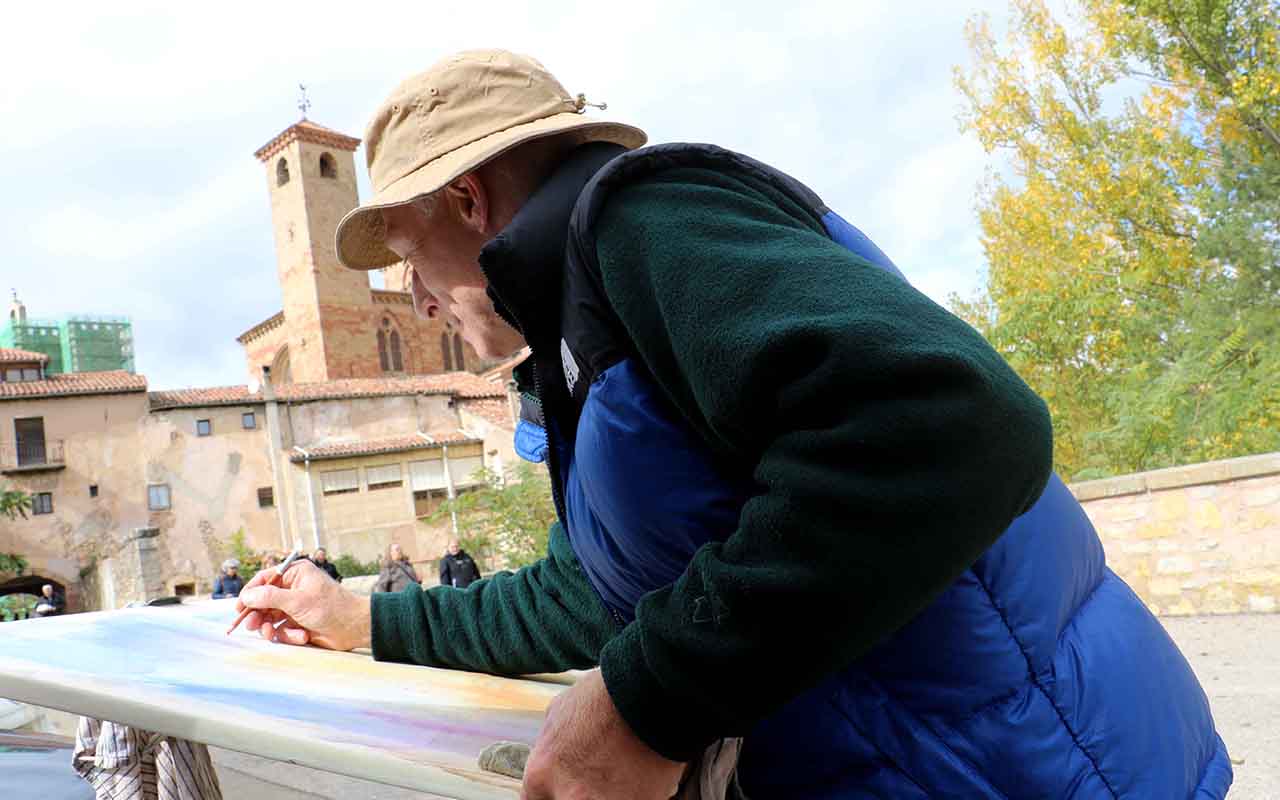
Sigüenza bautiza su Concurso Nacional de Pintura Rápida con el nombre de Emilio Fernández-Galiano y reparte 4.700 euros en premios
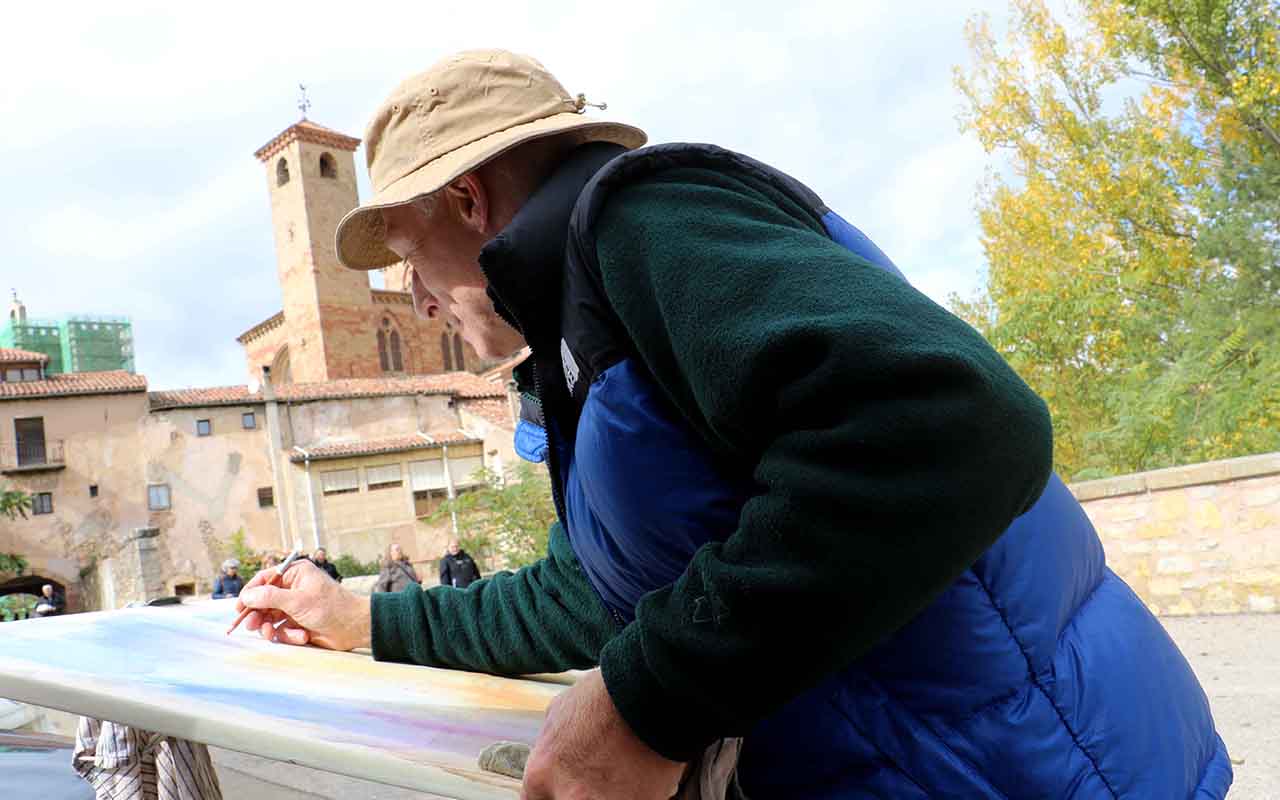
El Ayuntamiento de Sigüenza celebrará este sábado 24 de octubre la vigésima segunda edición de su Concurso Nacional de Pintura Rápida, una cita que a partir de este año adoptará de forma permanente el nombre del pintor Emilio Fernández-Galiano, fallecido en marzo de 2025.
Bases y dotación económica
El certamen congregará a creadores de toda España entre las 9:30 y las 17:00 horas en el casco histórico y los pueblos agregados del término municipal seguntino. La convocatoria cuenta con una bolsa de 4.700 euros repartida en siete galardones: el primer premio municipal de 1.400 euros, un segundo de 700 euros financiado también por el consistorio, cuatro terceros premios de 500 euros aportados por Font Vella, Pedro Moreno e Hijos, Galería de Arte Sigüenza y El Molino de Alcuneza, y un cuarto premio de 400 euros a cargo de Química Sigüenza.
Desarrollo del certamen al aire libre
El sellado de lienzos se realizará de 9:30 a 10:30 horas en el Ayuntamiento, con formato mínimo de 55 por 46 centímetros y técnica libre. Los cuadros finalizados se entregarán a las 17:00 horas para quedar expuestos en la Plaza Mayor, donde a partir de las 18:00 horas se celebrará el fallo del jurado y la entrega de distinciones, manteniéndose los trabajos no premiados a disposición de compra directa por parte del público visitante.
El homenaje y la Casa del Doncel
La incorporación del nombre de Fernández-Galiano al certamen consolida el reconocimiento municipal a un artista muy ligado a la vida social de la localidad, donde ejerció como docente de arte, articulista y portavoz del jurado en sucesivas ediciones del propio concurso. Como preámbulo a la jornada de este sábado, la Casa del Doncel acoge hasta el 30 de noviembre una exposición de fondos artísticos municipales inaugurada por la concejala de Cultura, Ana Blasco, que reúne los primeros y segundos premios históricos del certamen y que puede visitarse de jueves a domingo de 10:00 a 14:00 horas.
-

Donncha: Travel Steps is a travel journal
I made a WordPress plugin for my holidays. It’s called Travel Steps, and it turns a trip into a page with a map down one side and the story of each day down the other.

Every photo I take ends up in Immich, on my own server. My phone sends where I’ve been to Dawarich, on the same server. So after a trip I have all the photos and the whole route, sitting in two apps on my private server. The travel apps that make nice trip pages want your photos and your location on their servers. I’d rather keep them on mine.
How it works
You make a trip, give it a first and last day, and press Sync. Travel Steps asks Dawarich for your location over those days, and Immich for the photos you took. You can pick one Immich album instead. If you don’t use Immich at all, upload the photos to the trip. It will detect the start and end dates from the uploaded photos, or an Immich album too.
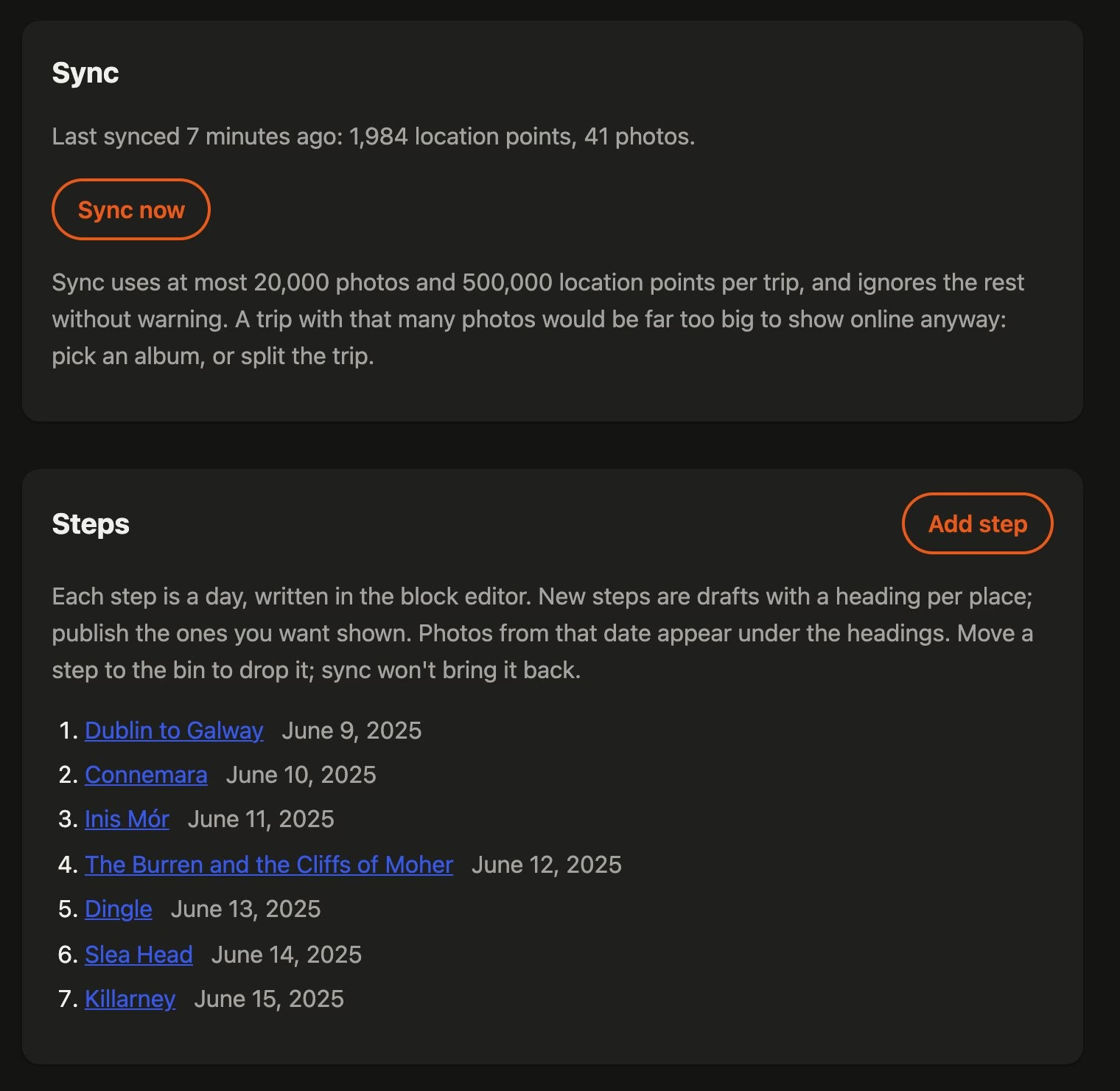
One sync, and a step for each day. Sync makes a draft post for every day that has favourite photos. Each one is a “step”. It splits the day into places too. A new place starts when a favourite is more than 2 km from the last one and in a different town. Each place gets a heading and a block of photos, so all that’s left is the writing.
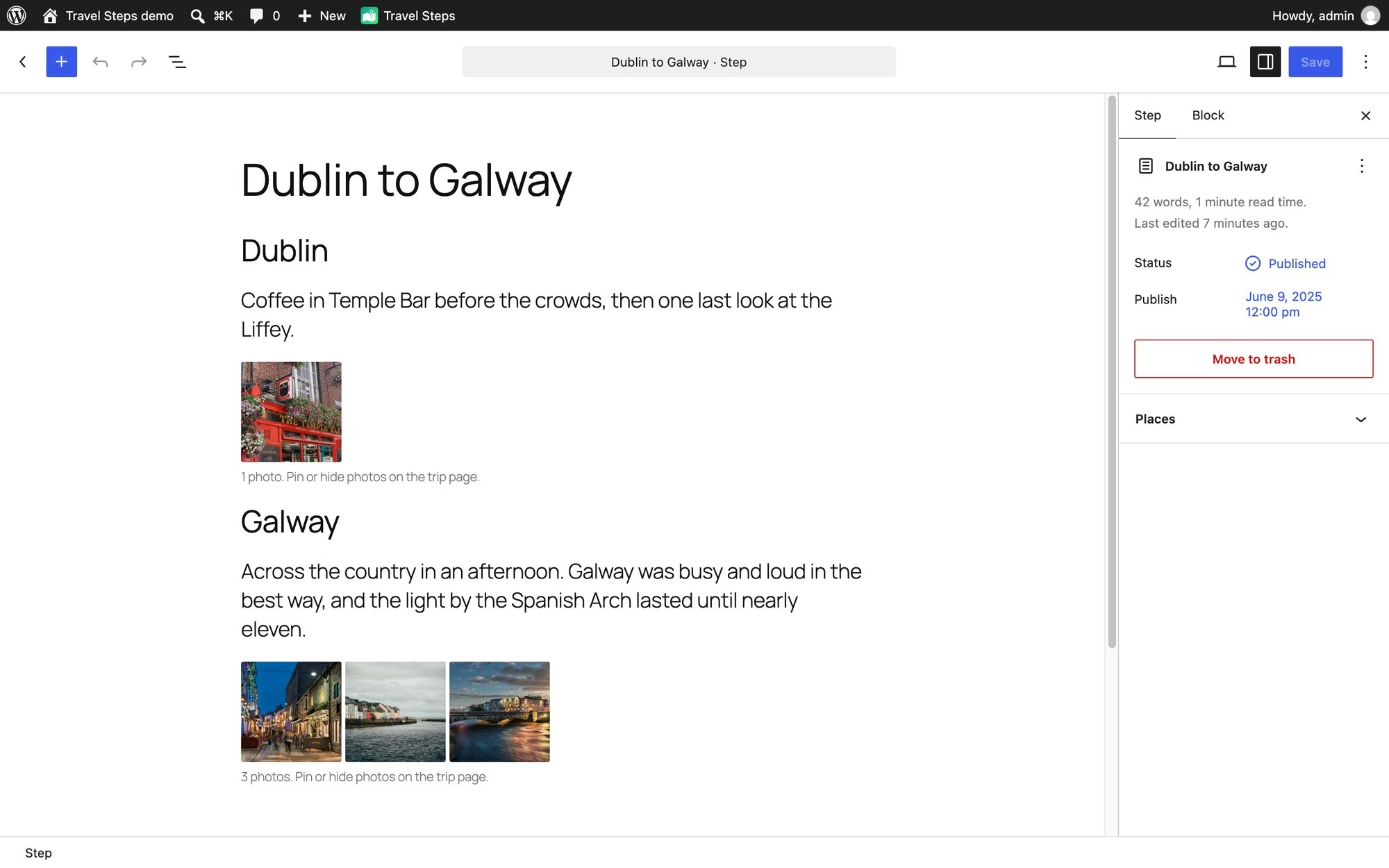
Each day is a post you write in the block editor. The photos under each heading come straight from Immich. Place names come from GeoNames data that ships with the plugin, so naming a town doesn’t send your location anywhere. Immich only names a place from a photo’s own GPS. A photo from a camera without GPS gets placed from your Dawarich history instead, and named the same way.
Publish the days you want people to see. Drafts stay private, and so do their photos.
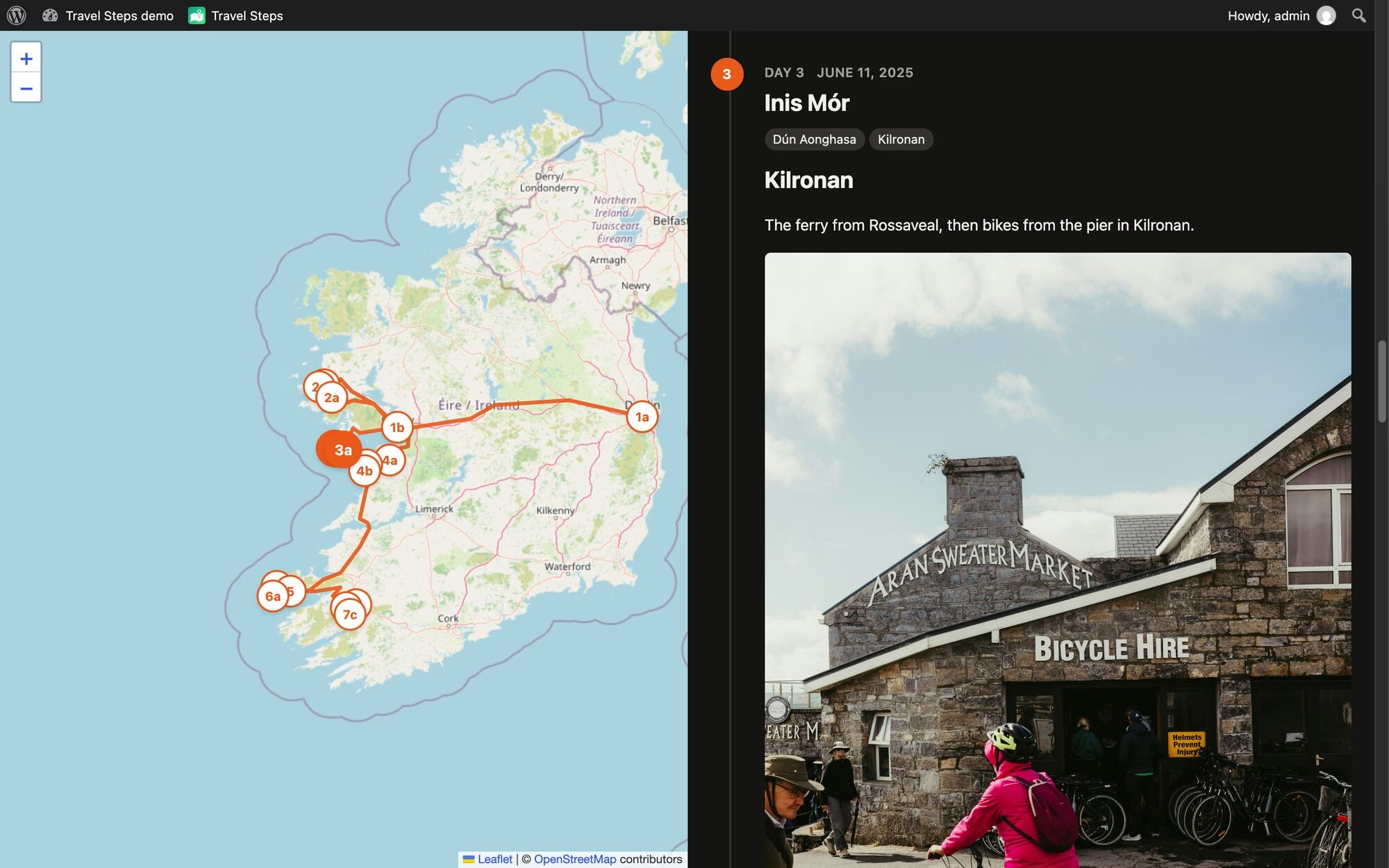
The map follows you as you scroll. Get to day 3 and day 3’s markers light up. The distance at the top follows the whole route, flights included. GPS glitches that put you in the Atlantic for a second are dropped. Anything you’d have needed to travel faster than 1,080 km/h to reach counts as a glitch. Sorry, Concorde.
Your photos stay at home
Visitors never talk to Immich. WordPress fetches each photo, caches it and serves it itself, so Immich and the original files stay private. It caches a trip’s photos in the background after a sync. The trip keeps working when Immich is down. A daily sweep deletes cached photos older than a number of days you choose, whether a trip still uses them or not, and they’re fetched again the next time someone looks.
Photos you upload to a trip keep their GPS in the original, but it’s stripped from every copy WordPress makes, and only those copies are ever sent. A trip can have a password, and you can let some logged-in people skip it.
Pin, hide, cover

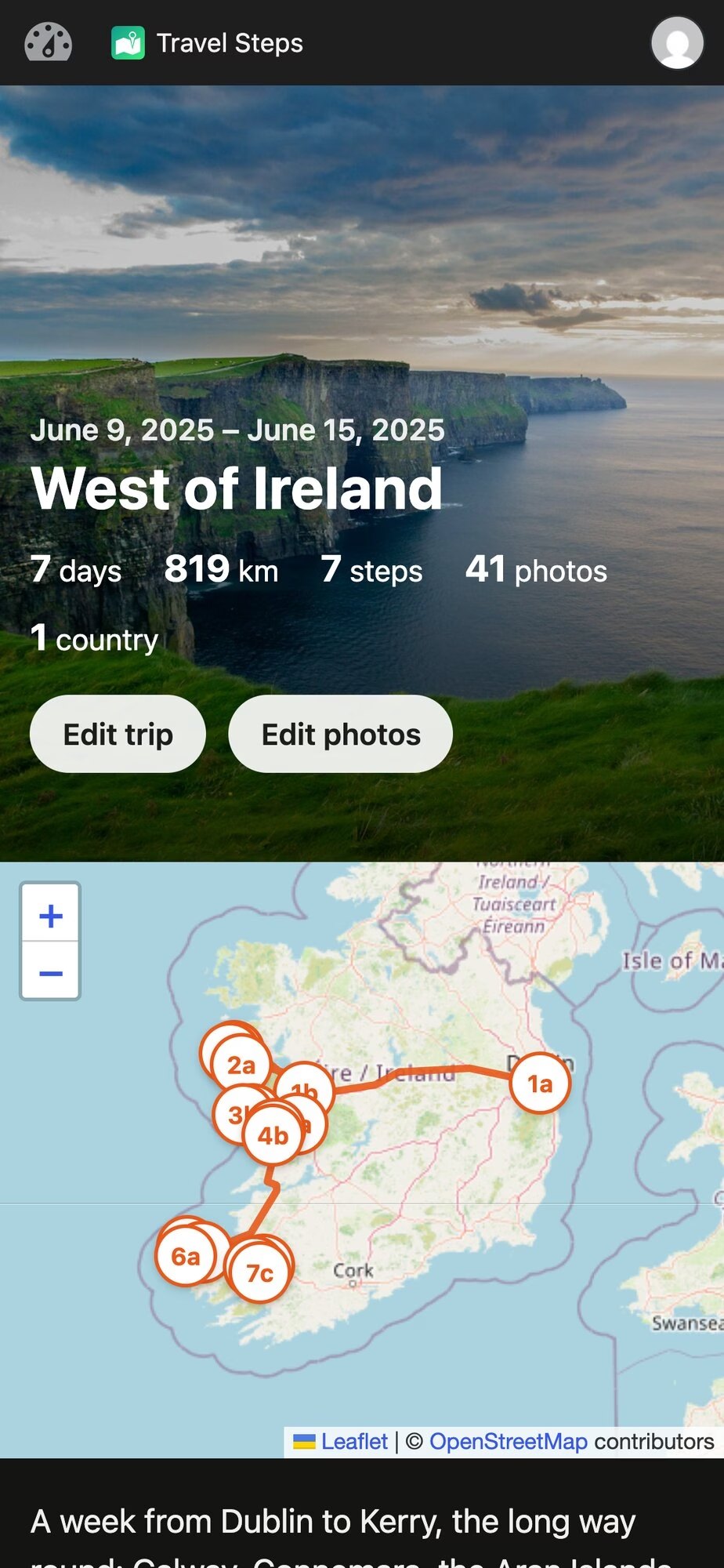
Hover over a photo to pin it (always show it), hide it, or make it the trip’s cover. The rest of the day’s photos sit behind a “Show more photos” link.
On phones, those buttons show up after you press Edit photos as illustrated by the images below.
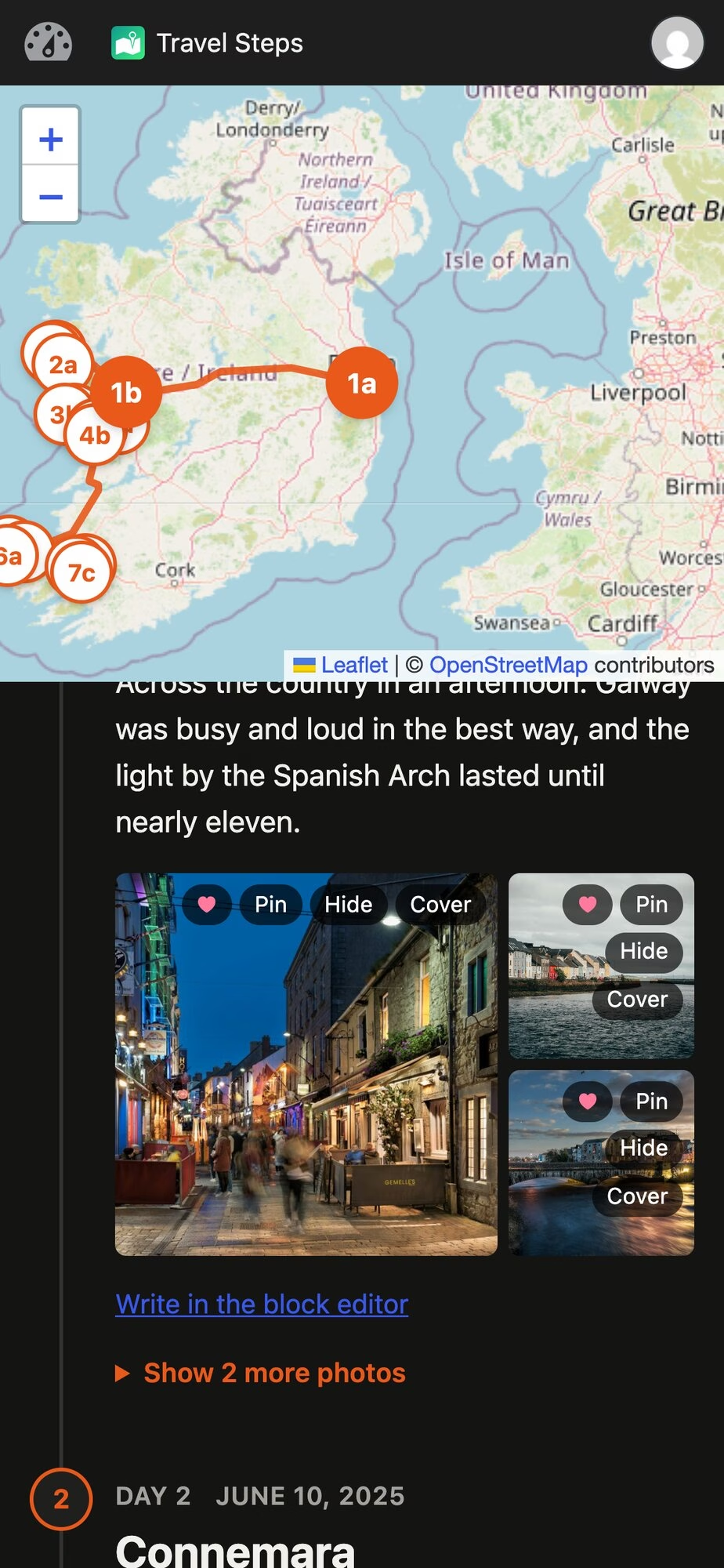
Tap a photo and it opens full screen. On a phone you swipe from one photo to the next, edge to edge. On a desktop there are arrows, and the arrow keys work too.

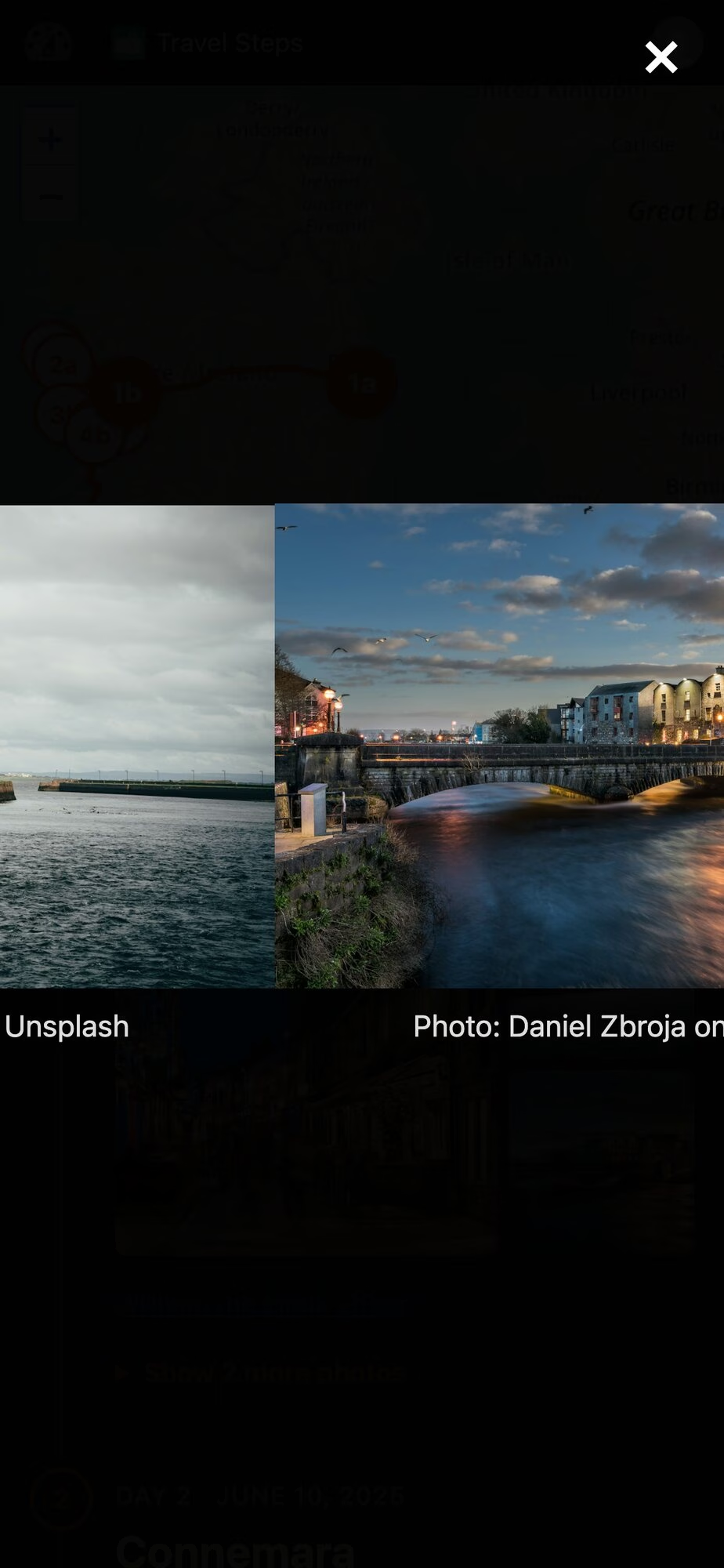
Try it
Here’s a demo in WordPress Playground. It’s a week in the west of Ireland, running in your browser that installs nothing. Stand-in Immich and Dawarich servers feed the real sync code with photos from Unsplash. You’re logged in as an admin, so press Sync, pin and hide photos, and edit the days in the block editor. It all disappears when you close the tab.
The code is on GitHub. To install it, download
travel-steps.zipfrom the latest release and upload it under Plugins → Add New. It needs WordPress 6.7 and PHP 8.0. Immich and Dawarich are both optional. It has been submitted to WordPress.org but if you read this blog, you’ll know how to install a plugin from a zip file!WpApp
Travel Steps is built on WpApp, Alex Kirk’s framework for building apps on top of WordPress.
A plugin usually adds screens to wp-admin, or puts its pages inside your theme and hopes the CSS gets along. A WpApp app gets its own URLs instead (
/travel-steps/here), and its pages are plain HTML with no theme in the way. WordPress still does the boring work: users and logins, roles, the block editor, the REST API, cron and the database. WpApp adds the bits in between:- URL routing, using WordPress rewrite rules,
- pages that don’t load your theme,
- the admin bar on every page, with the app’s own icon (the green map at the top of my screenshots),
- access control using WordPress capabilities.
You can start one with
composer create-project akirk/create-wp-app my-app. Alex has a showcase of apps built with it, including a cookbook and a family wiki.Built with Claude Code
I wrote Travel Steps with Claude Code. The first commit was on 11 October, and there are many more now. Most of the work went round the same loop. I file an issue, Claude fixes it test-first on a branch and opens a pull request, and other agents review it. I deploy it to my own server and try it. The tests run in WordPress Playground too, the same as the demo.
If you run Immich, give it a whirl. Bug reports welcome on GitHub

Demo photos from Unsplash: Cliffs of Moher by Jarek Skowron, Temple Bar by Sarah, Galway by Daniel Zbroja and Anna Hunko, Kilronan by Jonathan Borba. Map © OpenStreetMap contributors.
#TravelSteps #WordPress #WordPressplugin
-

La música de Frank Sinatra llena San Francisco entre 1.500 velas en Guadalajara

El templo de San Francisco completó anoche su aforo con 350 asistentes para presenciar el concierto ‘An Evening with Frank Sinatra’, recital que inauguró el ciclo musical ‘Guadalajara a la luz de las velas’ bajo una ambientación escénica formada por 1.500 velas.
Éxito de público y repertorio clásico
Los músicos Quique Gómez, Miguel Rodríguez, Miguel Benito y Héctor Rojo ofrecieron un recorrido de más de una hora de duración por las canciones más emblemáticas del artista estadounidense. La actuación repasó temas como ‘You Make Me Feel So Young’ y ‘Pennies from Heaven’ hasta culminar con la interpretación de ‘My Way’, envolviendo el interior del recinto monumental en una atmósfera íntima que agotó todas las localidades disponibles.
Próximas citas en el Buero Vallejo y el Moderno
La programación cultural continuará el próximo 8 de noviembre en el Teatro Auditorio Buero Vallejo con la obra ‘El Mesías de Händel & Gloria de Vivaldi’, interpretada por la Orquesta de Cámara Cervantes y Schola Cantorum. El mismo escenario albergará el 15 de noviembre la actuación de Biodramina Mood, mientras que el Teatro Moderno acogerá la clausura del ciclo el 20 de diciembre con los ‘Clásicos de Navidad’ a cargo de Arriaca Ensemble. Todas las funciones comenzarán a las 19:00 horas, con entradas fijadas a un precio de 12 euros.
-
Open Channels FM: Why Fast AI Inference Is a Game Changer for Developers
In tech, speed can make all the difference. One topic that doesn’t get enough attention is just how much faster AI inference is changing the way developers work. Training AI models still grabs the headlines with all the talk about big clusters and huge data sets, but the real impact for most developers happens when […]
-
Dennis Snell: Radical explorations in agentic development
In mid-April 2026 my employer started a project called “Radical Speed Month” to step away from our existing structures and processes, make space for people to dive more deeply into AI tooling, and try to build new or sleeping ideas. My participation in this experiment ran until late September and I stacked up a lot of explorations without having written about them or about the process. In this post I’d like to highlight some of the results of this time and share some learnings.
Selected lessons
- Massive agentic deployment demands heavy storage and generic compute capacity — inference is not the only bottleneck. This is necessary to support massively parallel checkouts of code, benchmarking, analysis of other software and data, running hierarchies of thousands of test workers and headless browsers, generating and analyzing image and video artifacts, creating indexes, and more.
- Instructing an agent to “find the five hidden defects” is more effective at finding real issues than asking if there are any hidden defects. They may return false claims, but they try to answer the questions they are prompted — it’s not that different than the comparison between asking someone what in their day brought them a smile, or what was difficult for them, rather than asking “how was your day?”
- Agents with web searching capabilities are powerful knowledge-retrieval and aggregation tools. Reports they generate to aid in developing code can be more effective than asking the agents to generate the code directly.
- Models today are incredibly powerful, but guiding human insight is also powerful. Autonomous agentic activity demonstrated a tendency to produce more evidence of accomplished work than actual accomplished work. In a strange way this might reflect the training dataset: corporations must also guard against the dangers of overly-burdensome paperwork.
Projects
All of the projects here were almost entirely built by AI agents, but with my guidance and supervision. Therefore, credit for each of them does not rest entirely with me. However, for the sake of brevity I will omit mentioning in each one that AI tooling was the actual producer.
Each project below is assigned a truly unscientific evaluation:
 The project succeeded with clear value.
 The project completed its goals, but the value is unclear.
 The hard work has completed, but I need to close the loop and deploy it.
 The idea is sound but not ready; it needs more development.
 The project failed to bear fruit for any reason.
My personal favorites:
- Fix bugs in proprietary hardware drivers
- Gather empirical evidence to guide development decisions
- Stream real-world HTML from Common Crawl
- Provide deep insight into PHP script execution
- Rapidly prototype a comprehensive collaborative editing environment for WordPress
Tools
Because I expected a short availability for the enhanced AI access, I prioritized building, early on, tools whose value would outlast the project. Generally I prefer working in offline or local environments, so I built archivers for several services which are only available when connected to the Internet.
While MCP servers were very popular at this time, I have always been unhappy with the load centralization and amplification they create. The same is true for any online resource against which agents perform searches. My intuition is that it’s more considerate to those services to make one batched update, to download all new data since the last sync, than it is to make repeated queries which might overwhelm their servers and fetch the same resources over and over.
Being offline and local, the archivers are extremely fast and operate in the terminal where I prefer to interact.
GitHub archiveFinding GitHub’s search functionality lacking, and wishing for a chronological stream of my activity, I built
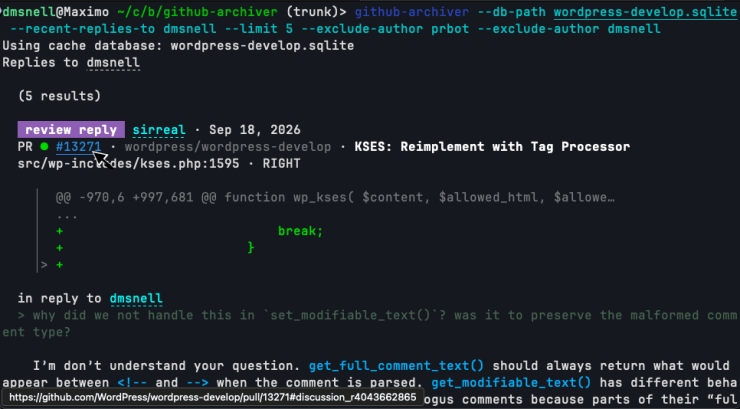
github-archiverso I could have the tools and performance I wanted. This initially supported searching through PRs, issues, and comments, as well as rendering my own activity in a reverse-chronological view. I eventually added two additional views for replies: people I replied to, and people who had replied to me. This gives me great awareness of my recent conversations and has helped me to avoid losing conversations. Sometimes I struggle to find a PR that I meant to follow-up on, but it disappears from my GitHub notifications and I can’t remember the exact wording that will turn it up in a search result. I even tend to forget in which code repository it was left, so my tool aggregates activity across all archived repositories.The basic design is a compressed HTTP cache of the GitHub API. When fetching or updating, it respects rate limits and leans on HTTP headers to avoid wasted transfers. After some work with banking APIs several years ago, I found that storing raw HTTP responses proved more flexible than parsing into a custom internal data type, as it lets me rewrite logic in the app later without having to re-download the entire archive. This came in handy several times as I expanded the search index and added more functionality.
The tool renders GitHub content as richly-formatted and highlighted text in a console unless running outside of an interactive TTY. It renders Markdown and HTML content into this rich text format and lays out meta elements in a meaningful way. Its speed, zero-network dependence, and minimized output make it a good fit for agents that would otherwise be hammering GitHub’s API, waiting, and wasting tokens on irrelevant content.
 Trac archive
Just like the
github-archiver, I built atrac-archivefor WordPress’ Trac system. It is feature-similar to the GitHub archiver, but provides an additional perk: because bots relay messages from GitHub back into Trac, issues often have two markup formats in use simultaneously. Mytrac-archivefirst parses its content according to Trac’s own system, but then it additionally parses Markdown where it finds it. It shares much of the rendering logic with thegithub-archiverand provides a clearer experience than the web view due to the additional parsing, syntax highlighting, and ability to exclude bot traffic from the results. Review the evolution of a series of commits over time
git-sequence-patchwas used to help me understand the full scope of the WordPress collaborative editor project. Since many large features or projects span many commits and possibly even months or years of work, this tool reads a number ofgitcommit SHAs and will build a fictitious patch that more or less represents how the entire project would be proposed were it to be proposed against the latest branch head. Another way to look at this is to generate one massive revert commit for the original feature and all descendant changes to it since its inception.This is a project I had been wanting to build for a long time; for each of the given commits, it tracks which lines were changed by the commits, and then steps forward through the branch history, noting when other commits also modify or remove those lines. Once it completes at the branch head, it prepares a patch to replace all of those lines with the code that was there before the original patch, and reverse the patch. This means that it doesn’t produce a patch that would actually merge, but it produces a patch that’s useful for understanding the full scope of how a change evolves over time.
It’s line-oriented and so would miss some obvious scope. For example, if tracing the sequence for a new function, it will miss a later change which calls into that function. This would actually be possible to add to the tool as an enhancement, but it wasn’t necessary for my purposes at the time and I think it would remain ideally an option rather than a default behavior.
I spend a lot of time trying to quickly understand entire systems that I didn’t write or have any experience with, and this tool is a delight for answering the question: “how has this change evolved through time?”
Analyze real-world HTML from Common CrawlTo better test the HTML API against real HTML documents, I built
cc-analyzer, which feeds data from the Common Crawl index into a user-supplied PHP script. This operates in two modes: streaming and batched. In streaming mode it continuously sends HTML documents from the archive into the analysis script. In batched mode, it saves documents from the archive into a subdirectory and then may be invoked again to re-run those documents through specific analysis scripts.This project has greatly benefited the testing and verification of the HTML API, and informed decisions about what actual HTML syntax patterns exist on the web and what concerns are practical and which are esoteric. Throughout this grand experiment I have examined hundreds of thousands of HTML documents to test the HTML API code, to understand reported and actual text encodings of websites at large, to benchmark changes and optimizations for the HTML API, and to understand parsing needs of real HTML documents.
Instantly search code from the WordPress ecosystemVeloria.dev (formerly WPDirectory.net) provides fast code search across all of the plugins and themes listed on the WordPress directory. It was experiencing elevated outage rates and I decided at the start of September to recreate it locally as a single binary with a simple compressed offline archive. Previous efforts to slurp the directory left efficiency gains on the table and output around 120 GB of data on the filesystem. By taking advantage of available concurrency, streaming computation as resources are downloaded, pruning the stored files to those which were being indexed, and saving into a custom compressed binary object, my
wp-code-searchtool was able to archive the directory in five hours storing only 5 GB among three data files: a compressed archive of the source files, a search index, and a metadata archive.This idea originally came from Dan Luu, who commented that “if we’re repeatedly searching for text on a computer, the obvious thing to do to speed that up isn’t to write a native code compiler for regex matching, it’s to create an index.” Code searches across the entire directory typically return within 10 ms, output syntax-highlighted snippets from the files in which they are found, and the tool can extract those files or entire plugins from the compressed archive. The index is sorted by active installs so the most-deployed results appear first.

Basic regex searches execute in milliseconds. This tool has become an invaluable daily driver for me as I refactor Core WordPress internals and want to avoid needlessly breaking existing code.
Towards the end of September I had another long-shot idea: could the ideas making the text search so fast be mixed with structural queries so that I could perform data-flow and control-flow analysis on the code? Turns out that yes, with another 5 GB sidecar index, and a custom WordPress-specific query syntax this was not only possible, but practical with many complicated queries executing in anywhere from a few seconds to a few tens of seconds.
There’s a lot of power in this query syntax to identify complicated code structures and I still have to learn how to generate the kinds of queries I want to. I built the structural code search to aid in discovery of risky code patterns to harden as part of my work improving WordPress’ security stance.

A custom syntax makes possible complicated structural queries on the code and values passing through it. 
Executing returns results we could have matched with a regex. 
Executing also returns matches not possible through lexical pattern matching alone, tracing the flow of data and control throughout a program. Text-mode access to the modern webMy
zstool performs web searches and downloads rendered HTML pages in the terminal. Fascinatingly enough, when I attempted to start this project I tried explaining very clearly that I wanted to adhere to the terms of use for all services, that I wanted to respect the remote servers providing the content, and that this was a user-agent acting on my behalf to perform queries in the terminal instead of a browser. Unfortunately, it seems like the instructions to follow the rules were misinterpreted as attempted bypasses and overly-refused.Regardless, I was able to create this non-GUI browser and build up enough of the Web Platform to render the pages I wanted to view. When Captchas and other verification interstitials appear, they render inline into the terminal via terminal raster commands. I’m able to indicate which boxes contain the bus, or motorcycle, or a bridge, which Google seems really intent on learning, and continue with text flows and shell pipelines.
My motivation for building this was to perform web searches from the CLI, but once I had the mechanisms in place to interact with the search engines, I realized I could also use this to grab dynamically-rendered pages. For any given URL, a page loads, executes scripts, and renders until the JavaScript event queue empties or a timeout trips, and then the final DOM serializes into the HTML output.
This makes the tool more valuable than my typical
curlflow, which too-often downloads an empty HTML page reminding me that I should be using JavaScript. Because it implemented so much of a browser’s internals, I added a feature to extract the visible text content of the rendered page, something which is surprisingly difficult to download without a full browser and CSS engine, and something which is really valuable when trying to pipe documentation pages into coding agents.All in all it’s a bit buggy and I would like to start over based on what I learned along the way. It still works sometimes and it’s valuable to me when web pages return otherwise-empty mountains of script contents.


WordPress.com
Clarify wording in notification messagesWordPress.com sends notifications about comments, likes, follows, etc., and sometimes the wording is awkward or inconsistent. I generated a report classifying emotional content of the wording and suggested improvements to better inform the reader of what they could or needed to do. It was effective at joining snippets of strings that are concatenated together throughout the code and provided useful insights. It also provided good suggestions for updates that focused on removing anxiety and clarifying possible actions to take in response to the alerts (e.g. replace “Renewal Failed” with “Payment did not go through; update by May 18 to keep your plan active”). Unfortunately those updates are still on my backlog to deploy.
Migrate confused legacy data to simplify runtime codeThere are old notification records in the database with conflated and truncated values, and these require complicated code when rendering them to make sense of the confused properties. I was hoping that it would be possible to have the AI examine these broken records and the generating code and provide clear guidance on how to update them. Among 3,000 old records in the database, it proposed seventeen cases for recovery and fixing. Unfortunately this also sits in my backlog to assess and apply.
Fix translation issues and typosDevelopers frequently concatenate separately-translated strings which lead to confusing translations. I ran an analysis for this kind of translation issue inside the notifications source code and also for typos and other mistakes. This produced a list of around fifty bug-fixes, including for a missing namespace specifier that was broken for more than a decade and which hadn’t been noticed in error logs, malformed HTML tags which had been hard-coded in string literals, plenty of concatenated translated strings, broken interpolation placeholders, missing calls to the translation function, and missing null checks. This was deployed in May to the production system.
WordPress, the open-source project
Generate automatic previews for dev-docs changesWordPress Playground runs a copy of PHP and WordPress entirely in the browser via compilation into a WASM environment. It provides testable previews for WordPress and Gutenberg PRs. Missing has been a way to preview changes to the generated developer documentation, which is notoriously difficult to get running at all, let alone dynamically in a browser. I proposed a demonstrator in #29 that does just that through a GitHub Actions workflow on PRs. It has inspired follow-up, but due to the need to ensure a maintainable solution, is still pending deployment.
Harmonize the ignore ruleset across gitand SubversionThe official WordPress source code lives in Subversion with a
gitmirror. The.gitignoreand Subversion ignore rulesets are fundamentally distinct from each other, notably in thatgitignore patterns apply recursively through a file tree. I attempted to use AI to harmonize the rulesets. Some adjustments were made, but the entire set still needs careful review. Visualize per-package activity within GutenbergTo better understand per-package activity within the Gutenberg editor project, I produced a visualization showing commit activity.
Provide deep insight into PHP script executionInspired by my childhood Gameshark, I built a PHP extension to improve my ability to debug and analyze PHP script runs. This started as a way to compare two runs of a given script, but expanded into a set of related but distinct modes.
Differential mode compares which functions were called and how many times across two different script runs; this could be useful for performance optimizations or comparing what runs for two different code paths and was built initially while working on page renders vs API call responses.
Trace value records every function or method call whose arguments contain a requested value. It tracks user space as well as builtin functions and was built to help identify code paths which send untransformed data where it shouldn’t reach. A follow transformations option tracks not only the given value, but also common escaped, encoded, serialized, quoted, slashed, and other variations of it. This is a clever security tool for finding out where and how unwanted data is passed around.
Invariant mode takes a PHP file with “hooks” that attach to functions and methods, either during entry into those contexts or when returning from them. They are supplied the values to the arguments, the
$thisvalue if a method, and the return value if a post hook. This enables a novel approach to applying software contracts on code with neither the production runtime overhead nor the noise from the contract-enforcement. This was loosely inspired by Clojure’score.spec. Because the hooks file is user-space PHP code with access to global state, this provides mechanisms for enhanced testing and analysis code, and when registering a shutdown handler in PHP, can print reports at the end of script execution. Hooks may also raise exceptions to halt execution when any desired invariant is violated, such as whenpreg_match()receives a pattern that might be attempting to parse HTML.Unused runtime coverage mode generates a report of all loaded identifiers which were never read or executed during a script execution. A sampling option can be used in production to assemble such a report, probabilistically, over time. This mode was designed to find effectively dead-code that might be lurking behind runtime conditions which can never actually run due to real data distributions. For example, a function which is only ever called before a given date, when the given date is several years in the past. Static analysis will miss this while a month of production sampling with no calls will provide evidence that it’s safe to remove the function, that no other strange or unexpected call-paths are still calling it.
Trace allocations mode traces heap allocations made by PHP during a script execution. It immediately surfaced unnecessary allocation in
wp_is_numeric_array(), which was promptly eliminated in [#12100].This extension has provided incredible insight into how WordPress and other PHP scripts run, and I’ve only scratched the surface of how I can take advantage of it.
Introduce dynamic security policies into PHP with eBPF to isolate plugin code and extensionsLike the
php-gamesharkextension, I built a modifiedphpbinary which coordinates with eBPF in the Linux kernel to apply dynamic security policies and create isolated security domains within executing PHP code. There is no logical separation between executing the Core WordPress code and the code from plugins running on a site. This is a security challenge because the two kinds of code warrant different trust, and a site operator may want to assign unique trust and capabilities to different plugins.This extension provides a
wp_runtime_security_apply_policies()function which registers sandboxing rules against files whose source code matches the provided glob. It allows disabling network access, shell execution, sending of emails, reading uploaded files, and writing uploaded files demonstrating a path towards securing WordPress sites from errant or malicious plugins, as well as an explicit opt-in capability model for plugins as they have need. It doesn’t just protect user-space PHP code either; thanks to the fact that policy enforcement occurs within eBPF, it can also apply the same policies against compiled PHP extensions running on the host, assuming that the extensions are not actively attempting to exploit the guards (the protection is aimed at security vulnerabilities within the commonly-deployed PHP extensions, not against potentially-malicious extensions).I built this extension after a discussion with Lynn Griffith at WordCamp US in late August. It seems promising but is under-developed and needs production testing. As it relies on eBPF, it only supports Linux environments, ruling out Windows, BSD, and macOS-based hosts.

Policy rules stack: code deeper in the call stack may further restrict the permissions, but cannot expand them. Benchmark HTML parsing optimizations against realistic data from the InternetWith the aid of
cc-analyzer, I automated the benchmarking of numerous optimizations that we have explored over the years with the HTML API, mostly changes to the internal data structures and how attributes are represented during the parse. The AI tooling provided the run-scripts forcc-analyzer, invoked it, and gathered the results. It also collected PRs that I had proposed (using thegithub-archiver) since May 2023 so that I didn’t have to find them. Fuzz-test the HTML APII fuzz-tested the HTML API, finding several unreported bugs, including easy-to-overlook defects in the code. Fuzzing in this way also prevented a number of defects with the rewrite of
wp_kses(). This complements the existing spec-compliance tests against thehtml5libtest suite, practical tests against real HTML from the web, and a unit-test suite covering intentional behaviors. Scaffold fuzz-testing in GutenbergI attempted to build a generalizable fuzz-testing infrastructure for the Gutenberg editor. This was an extended autonomy agentic session that ultimately produced a good-looking dashboard with nothing but false-alarms. I tried to establish a framework in which other developers could easily add new generative categories and the system would run new fuzzers for them, compare outputs, and triage failures. AI parallelism made for impressive work, but in this early project I was unable to accomplish my goal and gave up on the idea.
Port data sync libraries into PHPAs an experiment in goal-oriented design, ten distributed data structure libraries were ported into PHP userspace code to aid in building a demonstrator for the DE-RTC prototype [#12334, #79602]. With minor caveats, this built working copies of
yjs,automerge,loro,diamond-types,diff-match-patch,json-patch,json-joy,sharedb-json0,prosemirror-collab, andcollabswhich passed their upstream test suites when they were converted to call the PHP code. Eight of the libraries were completed within a few days, butloro(the library I was primarily interested in) andjson-joyheld out the longest, taking weeks to complete. They appeared stagnant for the bulk of that time and rapidly finished passing the remaining tests in a burst at the end. While I had originally built a prototype collaborative editor withyjs(which is what the existing project team had chosen to use in JavaScript), onceautomergecompleted I was able to swap out the synchronization primitive and later do that again withloro, adding the capability to make more semantically granular changes and merges. This work was almost entirely hands-off and ran in the background until it was completed; every ten minutes it updated an HTML dashboard showing status and operating notes. Fuzz-test the proposed collaborative editor for WordPressFrom the end of April until October, I paired with Dan Luu to fuzz-test the collaborative editor proposal, and we uncovered an array of issues which ultimately led to changes in the timeline for the project, as a number of the defects were nontrivial to solve. Most of the fuzz infrastructure was built by Dan, while I attempted to coordinate the reproducible bug reports with the rest of the team and to propose fixes. The fuzzing machinery produced effectively no false positives due to the triage and reproduction steps built in. It also provided the visuals for theoretical bugs which are hard to diagnose manually with a keyboard and mouse, but which actually occur frequently in concurrent systems.
This was a high-reward project for the investment because, while AI was dominant in the early code generation, once the testing suite was established, it was able to continue to operate without much additional AI input, and it’s possible to run without any AI inputs.
It highlighted two aspects of fuzz-testing: the more robust the code being tested already is, the more valuable the fuzz-testing will be; and the more frequently a bug is likely to materialize, the more quickly fuzz-testing will find it. There is a good match here between the needs and the operating characteristics.
Actually, Dan and I were originally looking at working on other projects for this Radical experiment. I had suggested that we use the nascent collaborative editing project to organize our notes and work within a WordPress site — to “dogfood” the editor. We pivoted to this testing and design support role only because of problems which immediately appeared as we tried to use it.
Prototype a comprehensive collaborative editing environment for WordPressTo demonstrate another approach to collaborative editing, I instructed an agent to follow my core principles and requirements for the task and build a prototype. At first I wanted the agent to mimic forming its own company, planning, dividing labor, and harmonizing productivity, but as this ran for weeks it kept descending into a cycle of producing more and more meaningless paperwork with less and less actual work. Around the end of May I rebooted the project with far more direction and guidance, replacing the goal-oriented and hands-off approach with a human-driving-the-loop method. This proved more effective and in two weeks I had a working prototype that demonstrated every aspect that I considered important and lacking in some of the other public proposals. At some point I will share a version of an internal post I wrote summarizing this work. It proved influential on the project and I believe that the continued development of collaborative editing is heading in a stronger direction as a result.
For years I have struggled to adequately convey why specific principles and requirements are important, but having a visual prototype made it feel real in a way that persuasion had failed me. The amount of up-front work to produce this prototype had been obstructive for years, and without the agent I would not have been able to communicate the tradeoffs involved in its approach.
Restore developer documentation generation by updating deprecated legacy codeAt the end of February I had restored WordPress developer documentation which had been stale for two years due to failing build scripts and deploy scripts. While this work resolved most issues and unlocked updated docs for WordPress 6.9, there remained a few unresolved issues which led to specific submodules being excluded from those docs. In mid-May, fixes for the remaining issues were applied to the dependent projects which removed all remaining barriers. All documentation was updatable again and the scripts could run in the latest PHP versions without crashing.
Prevent mistakes in commit messages and automate the repetitive parts of writing themAfter seeing my colleague Jon Surrell’s
neovimlinter for writing WordPress commit messages, I ported his linter into a single-binary/stdout LSP usable in any LSP-supporting editor. This expanded the work Jon did and built upon work from my other tools to show inline previews of Trac tickets and GitHub PRs. It included new auto-fixers for formatting and line ordering and I use this today to prepare my commit messages, avoiding mistakes I have overlooked in the past. Gather empirical evidence to guide parsing decisions in the HTML APII used an instrumented custom build of PHP and
lexborin September to answer a perplexing question: “how many tokens of lookahead would be required for the HTML Processor to fully-parse a given percentage of all HTML documents?” This stems from the tricky re-parenting issues in HTML tree building, where a syntax form at the end of the document could appear towards the start of parsed tree structure. The instrumented code examined whenlexborran its “adoption-agency algorithm” and tracked how much further into the document the current token appeared after the token associated with its actual parent node.An hour-long run of
cc-analyzershowed that among 70,000 documents, approximately 1,000 require at least 1-token lookahead, only about 250 could parse with 5-token lookahead, and 13 would have required more than 10,000-token lookahead! In one case, a document contained an un-closed<b>tag near the start of the document, and then 400 kB and 35,000 syntax tokens later, triggered re-parenting — no default behavior will offer 35,000-token lookahead.The outcome of this run was disappointing, but the data was invaluable and prevented wasting time implementing a lookahead mechanism that wouldn’t meaningfully benefit consumers of the API.


 Review and scrutinize code change proposals
Throughout the entire experiment AI was providing valuable code review and patch preparation. WordPress security fixes are typically backported to WordPress 4.7, which covers 25 released versions and
trunk. Many of these support older versions of PHP missing standard-library features that newer code depends on, and lack WordPress functionality that newer code depends on. When preparing a backported patch, I created reports detailing which features and functions had to change at each WordPress release, and what was driving that need. I found these to be more useful than having agents automate the backporting as fewer mistakes were overlooked when I was performing the changes with the assistance of the reports.

AI code review was invaluable though during the refactor of
wp_kses()within WordPress. For weeks I instructed it to find the remaining overlooked defects that need resolving before merge, and it kept finding places to harden or fix the code. I never asked an agent to perform “code review” or indicate if a patch was ready to go. Instead, I instructed them to find hidden defects that I wasn’t sure existed, but when told to return three items, they would do it! I consider these kinds of situations among LLMs’ greatest strengths, when false negatives are more costly than false positives, and when validating claims is trivial. Every issue the agent claimed became a test that proved or disproved it and now guards against regression.Simplenote and Simperium
Implement well-defined feature requests in unfamiliar codeTo explore autonomous feature development, I had an agent resolve a concrete bug report describing difficulty copying content from historic revisions of a note [#3358]. This kind of enhancement/fix was frustrating previously because it touches numerous parts of the codebase I was unfamiliar with. The models picked up a number of places I would have overlooked when working on the problem.
Document confusing data flows in unfamiliar projectsThe data service powering Simplenote was written with untyped Python code, and partial duck-typed data structures are passed around which can make code comprehension dizzying. While I wanted to avoid AI-generated code changes, given how critical the backend is, in late May I produced comment-only changes annotating data types and providing explanatory comments where certain code constructs were unclear. This was a low-effort way to pass along some insight about the code in hopes that it makes someone else’s job clearer in the future, as I have not maintained this codebase for years.
Random
Monitor Codex usagecodex-usage-report.pyscans the~/.codexdirectory and summarizes token counts, the models which were used with them, and approximates the dollar cost of that usage based on current API pricing. Export Codex usage into a searchable formatAs the radical experiment was drawing to a close, I created a Codex exporter which dumps the session data into a giant single-file HTML archive where I can search interactively through the sessions and view the chat history, including tool calls, in a rendered view. I’ve referenced this several times as it’s quick and easy compared to logging into a server, finding the right session, and searching through its history.
Run inference on unsupported legacy hardwareMy old MacBook Pro came with a dedicated Radeon GPU and sits idle or off most of the time.
llama.cppdoesn’t support the older GPU and so I wanted to see if I could get it running. It did produce a working copy that runs local inference on the Radeon GPU, but in practice it underperformed the CPU-based inference for the same models. With only 4 GB of VRAM, it couldn’t load enough weights at one time to operate without constantly transferring data, and the transfer overhead was too high. I explored different means of sharing work between the CPU and GPU, but they were fighting for memory bandwidth.While this didn’t provide me with a low-and-slow inference engine, it demonstrated the ideas and ran the experiments which is something I had little patience for, given that I expected poor usefulness in the best of cases.
Fix bugs in proprietary hardware driversAt home I use my Fujifilm X-T3 as a webcam. It makes for a great quality video feed, but when Fujifilm updated the camera driver to integrate with one of the previous macOS updates, they introduced a memory leak which would end up using 90 GB+ of RAM plus swap by the end of a call and sometimes take down my system before I realized it. Knowing I had little hope of motivating Fujifilm to fix this, I made a binary patch to the driver and fixed the bug directly. This was directly inspired by stories of Microsoft fixing bugs in components whose source code they had lost.
To my delight this fixed the memory leak and provided a plausible explanation. By decompiling the driver, the AI found a missing call to release JPEG data from each frame after passing it to
CMIOSampleBufferCreate— a classic memory bug. It predicted the impact of this defect and confirmed the rate of memory bloat with successive system dumps of the process. To add the missing release call it shuffled around some existing instructions to a region of padding bytes in the driver and then called into those; this freed up the bytes necessary for the instructions to call the release function. 44 bytes are written across three spans to make the fix, and this is a verifiable fix that I was able to apply without disabling the system integrity protection — an even better delight.This has been quite possibly my favorite AI-assisted project. There is no way I could have imagined doing this work myself or having traction with Fujifilm to debug and fix this issue, and yet now I can have video calls run on for hours (were I to want such a thing) and memory use by the driver is fixed; it doesn’t fill up and then purge all of my RAM.
A special thanks belongs to Automattic for providing this space in which to learn and explore, to OpenAI who provided elevated access to their frontier models and made it possible to preview what a future of abundant AI might look like, and to the Jetstream2 project funded by US taxpayers who donated high-capacity compute resources to help improve the reliability and security of the WordPress project. I would also like to thank Dan Luu, who worked with me on this project and who taught me so much about practical generative/fuzz testing, and with whom I could never keep pace, in the best of ways.
Over the course of this time period I worked with GPT-5.4 all the way up to GPT-6-Astra, at ultra thinking levels on fast priority, and with Claude Sonnet 4.6–5.4. The earliest use came from
Qwen3.5-397B-A17B, but I had also been runningQwen3.5-27B-4bitlocally before the experiment started, and by the end was relying onQwen3.6-27B-4bit.I’m thankful for the chance to reach into the past and demonstrate ideas I’ve had sitting on the back-burner, as well as to look towards the future and prototype designs I want to see turn into usable products.
-
Open Channels FM: Open Web vs Walled Gardens, Simplifying the Difference
A straightforward look at what the open web is, how it started, and why it matters for digital communities.
-
Matt: Pushing Standards
We get a lot of flak at WordPress.org for supporting older PHP versions, but an area we’ve always pushed the frontier is in Web Standards, getting websites and browsers evolving together to make the web richer. Ever since I caught the religion from Zeldman, promoting more functionality in the browser has been a life mission.
It’s a little nerdy, but we wanted to do client-side media processing (use all that amazing Apple and Google silicon instead of burdening the poor servers) so we used something amazing Google created called Document Isolation Policy. When WordPress 7.1 “Mary Lou” shipped these features only worked in Chromium-based browsers and Mozilla and Webkit/Apple weren’t keen to support it, but since then Mozilla has expressed support and WebKit has withdrawn their initial concerns. WordPresser Adam Silverstein has been driving much of this work and opened a WICG issue to help move the standard forward and formally requested that WebKit add support.
Hat tip: Anne McCarthy for helping with this post.
(If you want to see other crazy stuff we’re doing in browsers, check out WordPress Playground, I think it’s actually the perfect web development environment for agents, which can then publish to Spacefast.)


